Your Smart Home Is Only as Smart as Its Coordinator
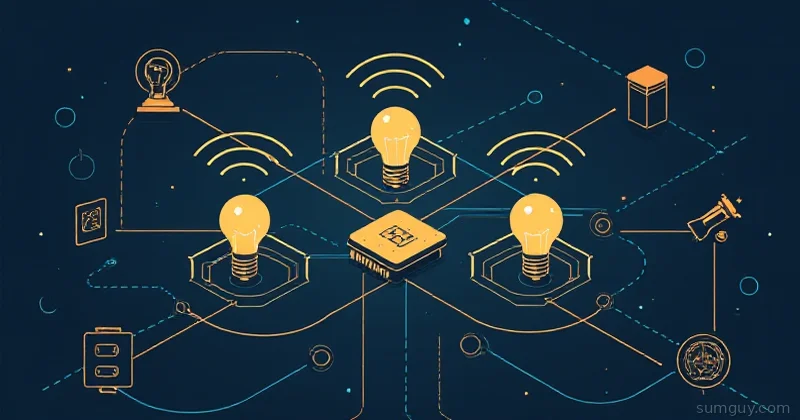
Every Zigbee mesh needs a brain. Not the cloud kind — the little USB stick kind that sits plugged into your Home Assistant box, quietly routing packets between your sixty-seven smart bulbs, twelve door sensors, and the water leak detector you installed after The Incident.
Choosing the wrong coordinator is the kind of mistake you make once. You end up with a mesh that drops devices at 3 AM, a firmware update process that requires a ritual sacrifice, or a dongle that can’t handle the forty-device network you’re going to absolutely build next winter.
Three coordinators dominate the home lab space right now: the Sonoff Zigbee 3.0 USB Dongle Plus-E, the Dresden Elektronik ConBee III, and the Home Assistant SkyConnect (now sold as the Connect ZBT-1). Let’s actually compare them.
The Contenders
Sonoff Zigbee 3.0 USB Dongle Plus-E (~$20)
The people’s champion. Built on Silicon Labs’ EFR32MG21 chipset, this is the dongle you’ll find in every “getting started with Zigbee2MQTT” tutorial written in the last two years. It replaced the older CH340-based Plus model and fixed the firmware upgrade story in the process.
Key specs:
- Chipset: EFR32MG21 (EmberZNet firmware)
- Protocol: Zigbee 3.0 only
- Antenna: PCB antenna (external SMA antenna variant also available)
- Interface: USB-A
- Price: ~$20 USD
The Plus-E model can be flashed to run Zigbee NCP (Network Co-Processor) firmware for Z2M or EZSP for ZHA. ITead also sells the Sonoff Zigbee Bridge Pro — a network-attached version that exposes the coordinator over TCP rather than USB, which matters if your HA server is tucked in a closet fifteen meters from your device cluster.
Dresden Elektronik ConBee III (~$50)
The German one. Dresden has been in this game since before most people knew what Zigbee was. The ConBee III is the third-generation stick, built on the deCONZ software stack, which is its own thing entirely — an alternative to both Z2M and ZHA.
Key specs:
- Chipset: Silicon Labs EFR32MG21 (same silicon as Sonoff, different firmware stack)
- Protocol: Zigbee 3.0 (and some legacy Zigbee HA 1.2)
- Antenna: PCB antenna
- Interface: USB-A
- Software: deCONZ (proprietary-ish, Dresden’s own stack); also works with Z2M and ZHA since 2024
- Price: ~$50 USD
The ConBee’s party trick used to be the deCONZ GUI — a visual network map that shows every device and its connections in real time. It’s genuinely useful for debugging mesh health. The downside: deCONZ historically lagged on device support compared to Zigbee2MQTT. They’ve improved, but Z2M still wins device compatibility breadth.
Home Assistant SkyConnect / Connect ZBT-1 (~$35)
Nabu Casa’s own dongle, co-developed with Silicon Labs. The Connect ZBT-1 is the current retail name; SkyConnect was the original branding. Same hardware, Nabu Casa just standardized the name.
Key specs:
- Chipset: Silicon Labs EFR32MG24 (newer than MG21)
- Protocol: Zigbee and Thread/Matter (dual-protocol, hardware-switchable)
- Antenna: PCB antenna
- Interface: USB-A
- Price: ~$35 USD
The MG24 is the headline. It’s the same chipset that powers most commercial Matter border routers. With the right firmware loaded, this dongle can run as a Thread Border Router, which means your HA instance becomes a Matter gateway. That’s the feature you’re paying for over the Sonoff. If you don’t care about Thread and Matter, the SkyConnect is a slightly more expensive Zigbee dongle.
The USB 3.0 Interference Problem (Read This First)
Before you plug any of these into a USB 3.0 port and wonder why your Zigbee mesh is garbage: USB 3.0 generates RF noise in the 2.4 GHz band. Zigbee operates in the 2.4 GHz band. These two facts are in conflict.
The fix is embarrassingly simple: use a USB 2.0 extension cable. Get a 1-2 meter USB extension cable, plug the dongle into that, and route the cable away from the machine. USB 2.0 cables don’t carry the high-frequency switching that causes the interference.
# Check what USB version your ports are before assuminglsusb -t# Look for "Driver=xhci_hcd" (USB 3.x) vs "ehci_hcd" (USB 2.0)If you’re running HA OS on a Pi or NUC, plug the dongle into a USB 2.0 port if one’s available, or use the extension trick regardless. This advice applies to all three coordinators. It’s not optional.
Software Stack: Z2M vs ZHA vs deCONZ
The coordinator hardware only matters as much as your software stack allows. Here’s the honest breakdown:
Zigbee2MQTT (Z2M) — runs as a separate container, exposes everything over MQTT to HA. Most device support, most active development, most configurability. Slight operational overhead (separate container, MQTT broker).
ZHA (Zigbee Home Automation) — built into HA, no MQTT required. Simpler setup, solid device support (narrower than Z2M), easier for newcomers. Less config flexibility.
deCONZ — Dresden’s own stack, runs as a container, has a Phoscon web UI and the deCONZ GUI map. Good for debugging mesh topology. Device support has improved but still trails Z2M.
| Coordinator | Z2M | ZHA | deCONZ |
|---|---|---|---|
| Sonoff Plus-E | Full support | Full support | No |
| ConBee III | Supported | Supported | Native |
| SkyConnect/ZBT-1 | Full support | Full support | No |
All three work with Z2M and ZHA. ConBee III is the only one with deCONZ support, which is either a selling point or irrelevant depending on whether you care about deCONZ.
Device Capacity and Mesh Performance
The EFR32MG21 (Sonoff, ConBee III) and MG24 (SkyConnect) are both solid for home-scale networks. The practical limits are:
- Direct children (devices paired directly to the coordinator): ~32 with EmberZNet firmware, depending on config
- Total mesh devices: 200+ with a healthy mesh — the coordinator isn’t the bottleneck here, your router devices are
The real-world differentiator isn’t the chip spec sheet. It’s your mesh topology. Zigbee is a mesh protocol — mains-powered devices (smart plugs, hardwired switches, bulbs) act as routers and extend range. Battery-powered devices (sensors, buttons) are end devices that connect to the nearest router.
A coordinator with six devices in a studio apartment is fine. A coordinator trying to be the sole router for forty devices spread across three floors is going to hurt. Build your mesh with router devices first.
The Sonoff Plus-E external SMA antenna variant does have a range advantage over the PCB antenna models if you need raw range from the coordinator itself. The PCB antenna versions are all roughly comparable in a normal home environment.
Firmware Upgrade Experience
This is where they diverge significantly.
Sonoff Plus-E: Straightforward. Use the universal-silabs-flasher tool or the built-in flasher in HA OS. Firmware files available from Nabu Casa’s silabs-firmware-builder repo. Can be done OTA from the HA UI if you’re on HA OS 2024.x+.
pip install universal-silabs-flasher
# Flash Zigbee NCP firmware (for Z2M)universal-silabs-flasher \  --device /dev/ttyUSB0 \  --baudrate 115200 \  flash \  --firmware ncp-uart-hw-v7.4.4.0-zbdonglee-115200.gbl
ConBee III: Firmware updatable via the Phoscon UI (deCONZ) or via dresden’s GCFFlasher CLI. Less integrated into the HA ecosystem — you update through Dresden’s tooling rather than HA’s. Not painful, but an extra layer.
SkyConnect/ZBT-1: Best in class here. The HA UI has a built-in firmware management page specifically for this dongle. Switch between Zigbee and Thread firmware with a few clicks. The integration is seamless because Nabu Casa built both the dongle and the software side.
Thread/Matter: The SkyConnect’s Actual Killer Feature
Let’s be direct about what Thread is and isn’t.
Thread is a mesh networking protocol (IPv6-based, 802.15.4 PHY — same radio layer as Zigbee) used by Matter devices. A Thread Border Router (TBR) bridges the Thread mesh to your IP network. The SkyConnect/ZBT-1 running Thread firmware becomes a TBR, which means HA becomes the gateway for Thread-based Matter devices.
If you’re buying smart home hardware in 2026, more of it is Matter-certified. Thread devices — like the Eve Energy, Nanoleaf Matter products, or most new sensor lines — need a TBR to connect to HA without going through a vendor hub.
The SkyConnect can run either Zigbee or Thread firmware at a time. You can’t run both simultaneously on the same dongle (the MG24 supports multiprotocol, but the current firmware doesn’t expose it). If you want both Zigbee and Thread running at once, you need two dongles — or an Apple HomePod Mini / Amazon Echo sitting around acting as your TBR (which is a perfectly valid approach if you already have one).
The Sonoff Plus-E and ConBee III don’t support Thread. Full stop. If you’re all-in on Zigbee and don’t care about Matter, this doesn’t matter. If you’re future-proofing, it does.
Migration: Moving Coordinators Without Re-Pairing Everything
Here’s the nightmare scenario nobody talks about: you want to switch coordinators, but you have sixty devices. Re-pairing sixty Zigbee devices is not an afternoon activity. It’s a cry-for-help activity.
The good news: Zigbee2MQTT has a backup/restore feature that migrates your network state to new hardware.
# From the Z2M UI or via MQTT:# Response includes a base64-encoded backup file
# Or via the Z2M web UI: Settings → Tools → Backup
The backup includes the network key (the 128-bit AES key all devices use), the extended PAN ID, and the channel. When you restore this to a new coordinator, devices stay paired because the cryptographic identity of the network is preserved. Devices don’t know or care that the coordinator hardware changed.
# In your Z2M configuration.yaml, after restoring backup:serial:  port: /dev/ttyUSB0  # update to new device path  adapter: ember       # or 'deconz' for ConBee
advanced:  network_key: GENERATE  # This gets overwritten by the backup restore  pan_id: GENERATE        # Same  ext_pan_id: GENERATE    # Same
The process:
- Back up your current Z2M network
- Shut down Z2M
- Swap the coordinator hardware
- Update the serial port in config
- Restore the backup (Z2M UI → Settings → Tools → Restore)
- Start Z2M
Devices come back online over the next few minutes as they re-associate. Realistically, 80-90% come back automatically. A handful of stubborn end devices may need a power cycle.
ZHA has a similar backup feature since HA 2024.10. ConBee/deCONZ has its own backup format that doesn’t cross-migrate to other stacks — moving from deCONZ to Z2M means re-pairing everything.
Head-to-Head Summary
| Sonoff Plus-E | ConBee III | SkyConnect/ZBT-1 | |
|---|---|---|---|
| Price | ~$20 | ~$50 | ~$35 |
| Chipset | EFR32MG21 | EFR32MG21 | EFR32MG24 |
| Thread/Matter | No | No | Yes |
| Z2M support | Full | Full | Full |
| ZHA support | Full | Full | Full |
| deCONZ support | No | Native | No |
| Firmware updates | CLI / HA OTA | Phoscon / GCFFlasher | HA UI (best) |
| Network attach option | Bridge Pro (~$20) | No | No |
| Best for | Budget, large meshes | deCONZ fans, diagnostics | Thread/Matter, HA-native |
The Bottom Line
Buy the Sonoff Plus-E if you’re starting out, on a budget, or building a large pure-Zigbee mesh. Twenty bucks, excellent Z2M and ZHA support, easy firmware updates, and a network-attached sibling (Bridge Pro) if you ever need to decouple the radio from your HA server. The EFR32MG21 is more than capable of handling a serious home lab mesh.
Buy the ConBee III if you specifically want deCONZ and the visual network map. It’s twice the price for hardware that’s functionally the same silicon, so you’re paying for the deCONZ ecosystem. If deCONZ’s diagnostics tools appeal to you, or you’re already running a deCONZ setup, the ConBee III makes sense. Otherwise, hard to justify over the Sonoff.
Buy the SkyConnect/ZBT-1 if you care about Thread and Matter, or if you want the tightest HA integration. Nabu Casa’s dongle gets firmware updates through the HA UI, is officially supported and tested against every HA release, and is your only option in this price range for Thread Border Router capability. If you’re buying new Matter devices and don’t want to depend on an Apple/Amazon ecosystem device as your TBR, this is the answer.
Don’t forget the USB extension cable. Any of them. USB 3.0 interference will make you question your life choices.
The mesh you build on top of the coordinator matters more than the coordinator itself. Start with a few mains-powered router devices, spread them around your space, then pile on the battery-powered sensors. The dongle is just the anchor.