Spend Your Money on Height and Antennas, Not Boards
Every LoRa board worth buying costs between twenty and sixty dollars, they all use the same handful of Semtech radio chips, and the difference between the cheapest and the most expensive one has almost no effect on how far your signal goes. What determines whether your mesh works is antenna quality and how high you can get the thing off the ground. A $25 board on a decent antenna at roof height will comprehensively beat a $60 board with the stock rubber duck sitting on your desk.
So the buying advice is unromantic: get two cheap known-good boards to learn on, buy a proper antenna and some coax, and put your money into mounting hardware and a weatherproof box when you decide to run a repeater. Board choice matters at the margins, mostly for battery life and whether it has a screen.
Prices below are rough, sourced in mid-2026, and move constantly. Treat them as ballpark and check before ordering.
First, Get the Band Right
This is the one mistake that cannot be fixed in software.
- 868 MHz for Europe and the UK
- 915 MHz for the US, Canada, most of the Americas, and Australia
- 433 MHz in parts of Asia and for some specialist uses
The radio front end, matching network, and antenna are all tuned for a specific band. A 915 MHz board is not legal to operate in the EU and no config setting changes that. Ordering the wrong variant is the single most common beginner mistake, partly because listings bury the band in a dropdown. Check it twice at checkout.
Also worth knowing before you design anything: EU deployments live under ETSI duty cycle limits (1% or 0.1% by sub-band over a rolling hour, roughly 36 seconds of transmit time per hour at 1%, typically 25 mW). US deployments have no duty cycle cap but a 400 ms per-channel dwell time limit and up to 1 W. Same hardware, different rules.
Chips: Pick SX126x or Newer
Meshtastic’s own documentation strongly recommends boards with the Semtech SX126x or LR11xx series, and to avoid the older SX127x. Better sensitivity, better compatibility, and the older parts are a false economy at the prices involved. If a listing says SX1276 and the price is not dramatically lower, skip it.
MCU: nRF52 for Battery, ESP32 for Cheap
This is the real fork in the road, and it maps directly onto what you are building.
nRF52840 boards (RAK4631, Heltec T114, Seeed Xiao nRF variants) draw dramatically less power. They are the correct choice for anything running on a battery or solar, and for handhelds you want to last more than a day. They typically lack WiFi, which for a mesh node is not a loss.
ESP32 / ESP32-S3 boards (Heltec V3, LILYGO T-Beam, T-Deck) are cheaper, have WiFi and Bluetooth, and are more power hungry. Fine for anything with mains power, and fine for learning. A solar repeater on ESP32 needs a meaningfully bigger panel and battery than the nRF52 equivalent for the same uptime.
If you are buying one board to leave on a mast for a year, buy nRF52. If you are buying two boards to figure out whether you enjoy this hobby, buy the cheap ESP32 ones.
The Boards People Actually Buy
Heltec WiFi LoRa 32 V3
Roughly $20 to $30. ESP32-S3, SX1262, small OLED screen, USB-C. This is the default starter board and the most common cheap node in both Meshtastic and MeshCore networks. No GPS, no case unless you add one, mediocre stock antenna.
Buy two. Flash them, get them talking across your house, decide whether you care. This is the least expensive way to find out.
RAK WisBlock (RAK4631 + RAK19007)
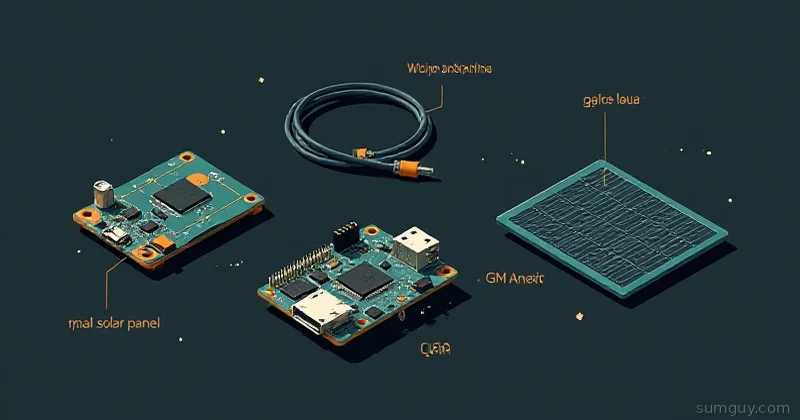
Starter kits with the core module, base board, antennas, and cable were running around $35 in mid-2026 from vendors like Rokland. nRF52840, SX1262, modular. The WisBlock system lets you stack GPS, environmental sensors, and different base boards onto the same core.
This is the one to buy if you are serious. Excellent power consumption, well documented on both firmwares, and the modularity means it grows with whatever you decide to do. It is also the community’s standard recommendation for repeaters and solar nodes for exactly those reasons.
Heltec Mesh Node T114
nRF52840, SX1262, small colour screen, designed specifically for mesh use with a sensible battery setup. Sits between the V3 and the RAK on price and is a good handheld. Supported by both Meshtastic and MeshCore, including over-the-air updates on the MeshCore side.
LILYGO T-Deck and T-Deck Plus
Roughly $43 to $53. ESP32-S3 with a colour screen and a physical BlackBerry-style keyboard. The appeal is that it is a standalone messaging device: no phone required, type directly on the thing.
On MeshCore this is more interesting than on Meshtastic, because MeshCore’s T-Deck firmware (marketed as MeshCore Ultra, and also running on the T-Pager, T-Watch, and T-Display Pro) is a complete off-grid comms device including repeater and room server administration. Most features are free. A paid registration key with Ripple Radios unlocks deeper map zoom and remote server admin over RF, which supports the developer and is not required for messaging.
Battery life is unremarkable and the keyboard is small enough to be a novelty for some people and a genuine input method for others. Try before you buy a second one.
Seeed SenseCAP T1000-E Card Tracker
Credit-card sized, sealed, GPS, long battery life. It is a tracker you clip to a bag or hand to a family member, with none of the tinkering surface of a dev board. Supported on both firmwares. Buy it as a second or third device, never as your first.
Station G2 and Nano G2 Ultra (B&Q Consulting)
Purpose-built mesh hardware rather than repurposed dev boards. The Station G2 is the mains-and-solar station node aimed at fixed infrastructure and is the one people mount on masts and towers. Priced well above the dev boards. Check current pricing directly, because the numbers floating around comparison tables are unreliable.
If you have decided to be the person who runs your area’s repeater, this class of hardware is what you want. If you have not decided that yet, do not start here.
The Antenna Is the Upgrade
Everything above is commodity. This is where results come from.
Never transmit without an antenna attached. Powering up a LoRa board with nothing on the connector reflects RF back into the power amplifier and can kill it. Attach the antenna before you plug in USB.
Check the connector. Many boards ship with a u.FL/IPEX pigtail rather than a panel SMA, and the tiny u.FL connectors are fragile and rated for very few mating cycles. Budget for a pigtail adapter and be gentle.
Understand gain honestly. A high-gain antenna does not create signal, it squeezes the radiation pattern flatter. A 5.8 dBi or 8 dBi collinear pushes energy out toward the horizon and away from straight up, which is what you want for a fixed repeater talking to nodes across a valley. On a handheld held at random angles, or on a node trying to reach something directly above or below it, a high-gain antenna can perform worse than a modest one. For a mobile node, a decent 2 to 3 dBi whip is the sensible choice.
Coax eats your gain. Cheap thin coax at 900 MHz will happily throw away several dB over a ten metre run, which can exceed everything your expensive antenna gained you. Use decent low-loss cable, keep runs short, and mount the radio close to the antenna where you can rather than running long feedline.
Height beats everything. LoRa at sub-GHz is not magic and does not pass through hills. Line of sight is what pays. Getting an antenna from window height to roof height routinely produces larger gains than any hardware purchase on this page.
A Sane First Order
For someone starting from nothing who wants to learn without overcommitting:
- Two Heltec V3 boards in the correct band, around $50 total
- Two better whip antennas, roughly 2 to 3 dBi, with the right connector
- USB-C cables you probably already have
- Two small LiPo batteries if you want them portable
That is about $70 to $90 and it teaches you whether you enjoy this. Flash them from a browser: flasher.meshtastic.org for Meshtastic, flasher.meshcore.io for MeshCore, both using WebSerial in Chrome. No toolchain, no build environment.
If you already know you are committing, substitute a RAK WisBlock starter kit for one of the Heltecs and use it as your permanent node.
When You Graduate to a Repeater
The step that turns two toys into a network:
- nRF52-based board (RAK WisBlock is the standard answer)
- Outdoor-rated collinear antenna, 5.8 dBi or similar
- Weatherproof enclosure with a proper gland for the cable
- Solar panel and charge controller, or PoE if you can run a cable
- Mounting hardware and the willingness to get on a roof
On MeshCore, flash the dedicated repeater firmware rather than a companion image, set your frequency and change the admin password before it goes up, because the default really is password:
set freq {your region's frequency}password {something else entirely}set flood.max 3On Meshtastic, set the role to ROUTER and leave the hop limit alone until you understand your local topology.
Then leave it alone for a year. The whole point of infrastructure is that you stop touching it.
Solar Sizing Without Guessing
The most common way a repeater dies is a solar setup that was fine in July and brownouts in November.
Work it backwards. An nRF52-based repeater with a decent duty cycle averages somewhere in the tens of milliamps, call it roughly 0.5 to 1 Wh per day with margin. An ESP32 equivalent is several times that, which is the entire argument for nRF52 on a mast.
Then size for your worst month, not your best. Rated panel wattage assumes full perpendicular sun, and in a northern winter with overcast skies you may realistically harvest a small fraction of that for a few usable hours a day. A 10 W panel is not overkill for a 1 Wh/day load once you apply that discount, and it is much cheaper than a winter site visit with a ladder.
Battery: aim for several days of autonomy so a run of grey weather does not take the node down. LiFePO4 handles cold and cycle count better than LiPo, which matters if the box lives outside year-round. Whatever chemistry you pick, check its charging temperature limits, because charging a lithium cell below freezing damages it and plenty of cheap charge boards do not care.
Then plan for it to fail anyway. A repeater you cannot reach remotely is a repeater you will eventually climb to. MeshCore’s remote administration over RF is genuinely useful here, since you can reconfigure or reboot a repeater from the phone app without going up there.
Test Range Properly Before You Build Anything
Before mounting anything permanently, do an actual range test, because your assumptions about your local terrain will be wrong.
Take two nodes, give one to a patient friend, and walk apart while watching signal quality. Both firmwares expose SNR and RSSI per received packet, and those numbers tell you far more than a delivered/not-delivered binary. Log where it degrades and where it dies.
Then repeat the test with the candidate node raised as high as you can manage, even temporarily on a painter’s pole or taped to an upstairs window. The delta between ground level and roof level is usually dramatic, and seeing it yourself is what converts “I should mount this properly” from advice into obvious fact.
Do this before you buy the enclosure, the mast, and the solar panel. Sometimes the answer is that your location is a hole and the useful repeater site is your neighbour’s chimney. That is a diplomacy problem, and no antenna fixes it.
What to Skip
Do not buy five boards on day one. Buy two. Most people discover their local mesh is empty and their enthusiasm outran their neighbours’.
Do not buy the wrong band because it was cheaper or in stock. It is unusable.
Do not buy a Helium miner because it says LoRa. Different network, different purpose, and the Helium IoT side has shrunk substantially from its peak.
Do not buy SX127x-based boards unless they are nearly free and you enjoy troubleshooting.
Do not spend on a fancy screen before you spend on the antenna. The screen is for you. The antenna is for the network.