Your Backup Script Is Walking Millions of Files Again
It’s 2 AM. Your rsync job is crawling through a few million files to find the twelve that changed. It does this every night. It will do it again tomorrow.
Btrfs already knows what changed, because it tracks it at the filesystem level. btrfs send turns the difference between two snapshots into a stream, and btrfs receive replays that stream on another btrfs filesystem. No full rescan of your files, no timestamp comparison. Learn the raw commands first, because that is how you find out what breaks. Then hand the loop to btrbk so you never type them at 2 AM.
Full example: Clone the working files at github.com/KingPin/sumguy-examples/linux/btrfs-send-receive-backups
Versions as of October 2026: btrfs-progs is at v7.1 and the newest btrbk tag is v0.32.7. I wrote the commands against the upstream man pages and docs. Swap in your own paths.
Step Zero: Snapshots Must Be Read-Only
btrfs send refuses to work on a writable snapshot. The man page says all snapshots involved in one send must be read-only, and that status can’t change while the send runs. A read-only mount of the subvolume doesn’t count.
So you snapshot with -r:
sudo btrfs subvolume snapshot -r /mnt/data/files /mnt/data/.snapshots/files.2026-10-01Snapshots are cheap. They share blocks with the source, so this takes a moment and costs almost no space until the live data diverges.
One gotcha: a snapshot does not include nested subvolumes. If /mnt/data/files has a subvolume inside it, the snapshot shows an empty directory in its place. Send each subvolume separately, or your backup is quietly missing a chunk. btrbk handles this by treating each subvolume line as its own job.
The Full Send: Seeding the Target
The first transfer has no parent, so it sends everything:
sudo btrfs send /mnt/data/.snapshots/files.2026-10-01 | sudo btrfs receive /mnt/backupThe target /mnt/backup must be a directory on a btrfs filesystem. After the receive finishes, the new subvolume is read-only. Receive makes it so, and that matters later.
Over the network, pipe through SSH:
sudo btrfs send /mnt/data/.snapshots/files.2026-10-01 \ | ssh backup@backup-host 'sudo btrfs receive /mnt/backup/files'The remote side needs a user that can run btrfs receive, so either log in as root or allow it through sudo or doas. The man page also warns that receive does not validate streams well, so don’t feed it streams from untrusted sources, and protect trusted streams on untrusted networks. SSH covers the second part.
The Incremental Send: Where It Gets Cheap
Tomorrow you take a second snapshot and tell send what the parent is:
sudo btrfs subvolume snapshot -r /mnt/data/files /mnt/data/.snapshots/files.2026-10-02
sudo btrfs send -p /mnt/data/.snapshots/files.2026-10-01 \    /mnt/data/.snapshots/files.2026-10-02 \  | ssh backup@backup-host 'sudo btrfs receive /mnt/backup/files'
The stream now holds only the difference between the two snapshots. Change a 4 GB VM image by a few megabytes and you transfer the changed extents, not 4 GB. Rsync can send deltas inside a file too, but only after it has read and checksummed both sides. Btrfs skips that comparison because the snapshots already encode it. On a big tree with a small daily change, the file count stops driving the run time. The size of the change does.
The rule that bites: the parent must exist on both sides
The man page is blunt about this. Previously sent snapshots that exist on both the sending and the receiving side can be used to shrink the stream. If files.2026-10-01 is gone from either machine, the receiver can’t rebuild the new snapshot from it.
Delete the parent on the sender and you get no error at all, because you can’t name it in -p. Delete it on the target and you see this:
ERROR: snapshot receive: cannot find parent subvolume <uuid>The fix is a full resend, or a different parent that both sides still hold. This is why retention policy matters: prune the sender too eagerly and your next incremental has no common ancestor. Keep the last successfully sent snapshot until the next one lands.
Clone sources: -c
-c <clone-src> names extra snapshots the stream can reference for shared data. You can give it several times. If you pass -c without -p, send picks a suitable parent from among the clone sources. The man page warns that you must guarantee those snapshots are exactly the same on both sides. For simple one-chain backups, -p is all you need. -c earns its keep when you are seeding a second target from snapshots that overlap.
Send Options Worth Knowing
Send protocol version 2 and compressed data are real, and current man pages list them:
sudo btrfs send --compressed-data -p /mnt/data/.snapshots/files.2026-10-01 \ /mnt/data/.snapshots/files.2026-10-02 \ | ssh backup@backup-host 'sudo btrfs receive /mnt/backup/files'--proto <N>picks the protocol version. The default is 1. Version 2 needs btrfs-progs 6.0 or newer on both ends and Linux 6.0 or newer on the sender. Passing 0 means the highest version your kernel supports.--compressed-datasends data that is already compressed on disk without decompressing it first. It implies--proto 2if you didn’t set one. A receiver with encoded write support (Linux 6.0 and up) writes it straight through. Otherwise it decompresses and writes normally.- On the receive side,
--force-decompressalways decompresses instead of using encoded I/O.
If your filesystem is mounted with compress=zstd, --compressed-data can shrink the stream, because the data goes out as it is stored on disk, with no decompress and recompress step. If your data isn’t compressed on disk, it changes nothing. Then you can compress in the pipe:
sudo btrfs send -p /mnt/data/.snapshots/files.2026-10-01 \ /mnt/data/.snapshots/files.2026-10-02 \ | zstd -3 \ | ssh backup@backup-host 'zstd -d | sudo btrfs receive /mnt/backup/files'Run btrfs send --help on your own box before relying on any of these. Older btrfs-progs builds won’t know the newer flags.
Sending to a File (And Why You Shouldn’t Rely On It)
-f <outfile> writes the stream to a file, which lets you park backups on ext4, a NAS share, or object storage:
sudo btrfs send -f /mnt/nas/files.2026-10-01.stream /mnt/data/.snapshots/files.2026-10-01It works. It’s also a trap. A stream file is not a browsable backup. You can’t open a file out of it. To restore a single document you replay the whole stream into a btrfs filesystem with btrfs receive -f. Incremental stream files form a chain: lose one link, or the full stream at the start, and everything after it is dead weight. A bit flip in the middle can break the receive. You can sanity-check a stream with btrfs receive --dump, which validates it and prints one operation per line without touching a filesystem, but that only tells you the stream parses.
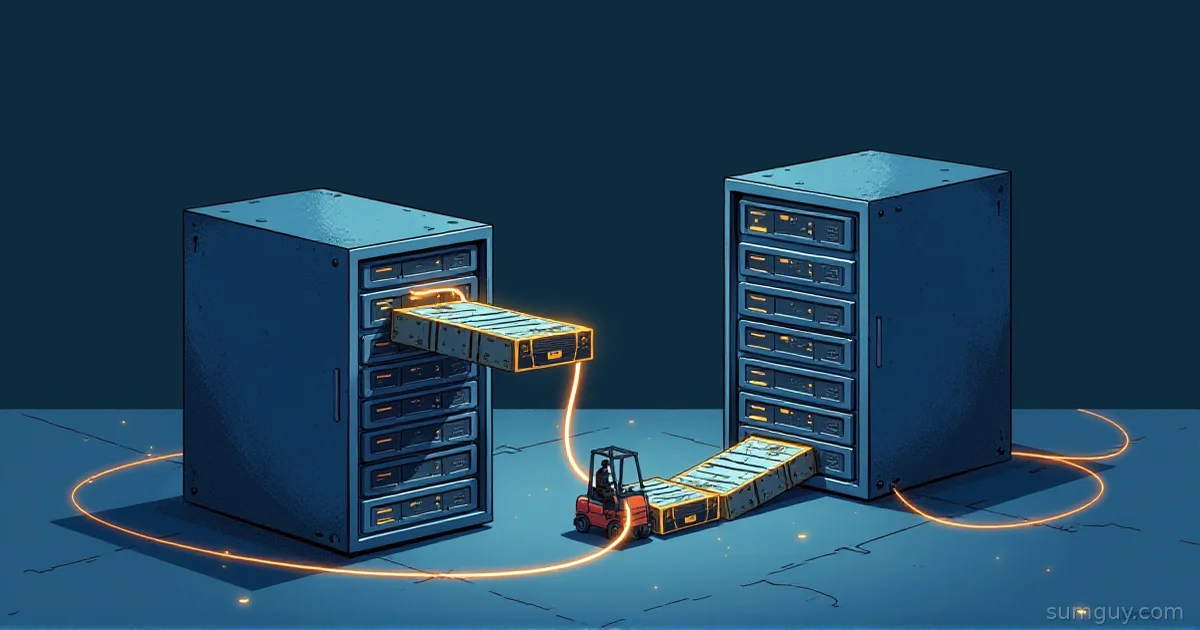
Use stream files for a one-off export or a cold archive that you test-restore. For a real backup target, use a second btrfs filesystem. A forklift can move a couch, and it can also leave it in a crate you have to pry open at the worst moment.
received_uuid and the Read-Write Trap
When receive creates a subvolume, it stores a received_uuid that identifies the source subvolume. Later incrementals use that identity to match parents. The btrfs-subvolume man page says a received snapshot is read-only, has a different last change generation, and carries that received_uuid.
Now say you want to poke around on the target, so you flip the received snapshot writable. The man page explains that changing it to read-write requires resetting the received_uuid. Since 5.14.2, btrfs property set demands force for this:
sudo btrfs property set -f -ts /mnt/backup/files/files.2026-10-01 ro falseDon’t. Once the flag flips, the subvolume no longer matches its source, and it can’t serve as a parent for the next incremental. The man page puts it plainly: changing read-only to read-write breaks the assumptions send relies on, and may lead to unexpected changes in the stream. Subvolumes received and flipped before 5.14.2 can still carry a valid received_uuid while being writable. btrfs subvolume show helps you spot them.
The safe habit: never write to a received snapshot. If you need a writable copy, snapshot it and work on the snapshot:
sudo btrfs subvolume snapshot /mnt/backup/files/files.2026-10-01 /mnt/backup/work-copyRestoring: Send It Back
A restore is the same pipe in the other direction. Say the source disk died and you’ve rebuilt a fresh btrfs filesystem at /mnt/data:
# on backup-host: send the newest snapshot backsudo btrfs send /mnt/backup/files/files.2026-10-02 \  | ssh admin@new-box 'sudo btrfs receive /mnt/data/.snapshots'
# on the new box: make a writable subvolume out of itsudo btrfs subvolume snapshot /mnt/data/.snapshots/files.2026-10-02 /mnt/data/files
The received snapshot stays read-only and stays in the chain. The writable files subvolume is your new live copy. If you have an older snapshot on both sides, add -p to send only what the new box lacks.
The sender is now the backup box, so the sent snapshot must be read-only there. A received snapshot already is, which is one more reason to leave them alone. For a single file, skip all of this and cp --reflink or plain cp from the read-only snapshot on whichever side has it.
btrbk: Let Something Else Do the Bookkeeping
The raw commands cover one subvolume. They also need you to track parents, prune old snapshots on both ends, and survive a missed night. That is what btrbk does. It is a Perl script around the same btrfs commands. It snapshots, finds a common parent through UUIDs, sends incrementally, and applies retention on both sides.
Here is a config. Option names come from the btrbk.conf(5) docs for 0.32.7:
ssh_identity            /etc/btrbk/ssh/id_ed25519ssh_user                backupbackend_remote          btrfs-progs-sudostream_compress         zstd
snapshot_preserve_min   2dsnapshot_preserve       14d 8w 6m
target_preserve_min     14dtarget_preserve         14d 8w 12m
volume /mnt/data  snapshot_dir          .snapshots
  subvolume files    target send-receive ssh://backup-host/mnt/backup/files
What each piece does:
volumeis the top-level btrfs filesystem, usually mounted withsubvolid=5.subvolumepaths are relative to it.snapshot_diris relative to the volume, and btrbk does not create it. Make the directory first or snapshot creation fails.snapshot_preserve_minkeeps every snapshot at least that long.snapshot_preservethen thins them out. The format is<hourly>h <daily>d <weekly>w <monthly>m <yearly>y, each part optional.14d 8w 6mmeans 14 daily, 8 weekly, 6 monthly.target_preserve_minandtarget_preservedo the same for the backups on the target. Both default to keeping everything, so set them or the backup disk fills.target send-receive ssh://host/pathis a btrfs target over SSH. The target type defaults tosend-receive. The other type israw, which writes stream files (see the trap above).stream_compress zstdcompresses the stream in transit. Supported values include gzip, pigz, bzip2, pbzip2, bzip3, xz, lzo, lz4, and zstd. The default isno.ssh_userdefaults toroot.ssh_identitypoints at a private key.backenddefaults tobtrfs-progs, which runsbtrfswithout sudo. The config logs in asbackup, a non-root user, sobackend_remote btrfs-progs-sudorunsbtrfsthrough sudo on the target only. Allow NOPASSWD sudo forbtrfs,readlink, andtestthere, or btrbk fails on its first remote command.btrfs-progs-doasexists too.
Run it dry first, then for real:
sudo btrbk -c /etc/btrbk/btrbk.conf dryrunsudo btrbk -c /etc/btrbk/btrbk.conf rundryrun prints what btrbk would snapshot, send, and delete, which makes it a good review step before you trust a retention policy with your only backup. Schedule btrbk run with a systemd timer or cron. A cron entry is one line.
Two more options are worth knowing. incremental defaults to yes. Set it to strict and btrbk never creates an initial full backup, and it only sends incrementals against related parents. snapshot_create defaults to always, and onchange skips the snapshot when nothing changed.
Failure Modes Checklist
cannot find parent subvolume: the parent is missing on one side. Resend in full, or pick a parent both sides hold.- Receive fails because the subvolume already exists: a previous run half-finished. Check the target, remove the partial subvolume yourself, and retry.
- Receive fails because a previously received subvolume has changed after it was received. Someone made a snapshot writable. Treat that snapshot as dead and re-seed.
- A nested subvolume is missing from the backup. Snapshots don’t carry nested subvolumes. Back up each one as its own job.
- Pruned too early. A short
snapshot_preserve_minplus a failed send night leaves you with no shared parent. Give retention enough slack to survive a long weekend.
How It Compares
Rsync walks the tree and compares metadata on every run, which is fine for small trees and painful for huge ones. Btrfs send reads a snapshot diff and skips the comparison. The cost is lock-in: both ends must be btrfs. ZFS has the same model with zfs send, and the site already covers it in ZFS send/receive over WireGuard. If you’re on btrfs, you get the same trick without changing filesystems.
The SumGuy Take
Start with the raw commands once, on a throwaway loop device, so the parent rule makes sense. Then let btrbk run it. The 2 AM version of you only wants one thing: a green log line and a target that has yesterday’s snapshot in it.
Common Questions
Can I use btrfs send to back up to an ext4 drive?
Yes, with btrfs send -f you can write the stream to a file on ext4, but the file is not browsable. To restore anything you must replay the stream into a btrfs filesystem with btrfs receive -f. Incremental stream files also depend on every earlier file in the chain.
Does btrfs send need the parent snapshot on the target?
Yes. An incremental btrfs send -p needs the parent snapshot on both the sender and the receiver. If the receiver lacks it, the receive fails with “cannot find parent subvolume”. Send a full stream again, or choose a parent that both sides still hold.
Is btrbk required for btrfs send/receive?
No. The btrfs send and btrfs receive commands work alone, and the script in the examples repo handles one subvolume. Btrbk adds retention on both sides, UUID-based parent matching, and multiple subvolumes in one config. Use it once you manage more than one or two subvolumes.
Can I make a received snapshot writable?
You can, but you shouldn’t. Since btrfs-progs 5.14.2, btrfs property set needs -f to flip a received snapshot to read-write, because it resets the received_uuid. That snapshot then stops working as an incremental parent. Take a writable snapshot of it instead.
Does btrfs send work between different kernel versions?
Mostly yes. Protocol version 1 is the default. Protocol version 2 and --compressed-data need Linux 6.0 or newer on the sender, and btrfs-progs 6.0 or newer on both ends. Receivers on older kernels can’t use encoded writes, so compressed data falls back to decompression.