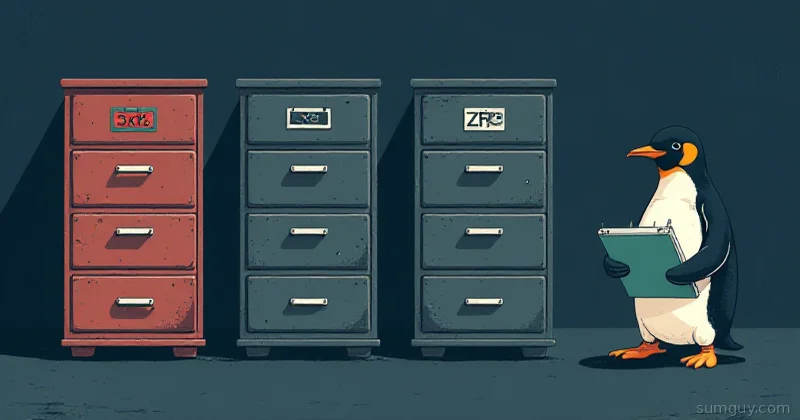
Pick the Filesystem That Matches the Job, Not the Tribe
There’s this weird tribal thing in the Linux community where people defend their filesystem choice like it’s a political identity. “ext4 is boring but reliable.” “XFS is the enterprise standard.” “ZFS is perfect, you just don’t understand it.” “Btrfs will eat your data.”
Here’s the honest take: they’re all good at different things. And they’re all fine at things they’re not specifically designed for. The trick is matching the filesystem to the workload, not your personal mythology.
Let’s break down what each one actually does, what they’re good at, and where they’ll make you regret your choices at 2 AM.
ext4: The Sensible Default
ext4 is like a Honda Civic. It’s not flashy. It’s not the fastest. But it starts every morning, handles whatever you throw at it, and your mechanic knows how to fix it.
What it does: Journaled filesystem with extent-based allocation. Supports 16 TB file size, 1 EB volume size. Fast. Boring. Done.
What it’s good at:
- Boot partitions on literally any Linux distribution
- General-purpose workloads (home directories,
/var,/tmp, application data) - Corrupted filesystem recovery (fsck is battle-tested, understands every edge case)
- RAID configurations (works perfectly with mdadm)
- Systems that never get weird kernel features they don’t need
Mount options that actually matter:
# Safe default for root/boot/dev/sda1 / ext4 defaults,relatime,errors=remount-ro 0 1
# High-performance database/cache (don't worry about crash safety as much)/dev/sdb1 /var/lib/database ext4 defaults,noatime,data=writeback 0 2
Downsides:
- No snapshots (you need LVM if you want that)
- No built-in compression
- No copy-on-write (if a crash interrupts a write, you get a partial file)
- Slow with millions of files in one directory
When to use ext4: Your root filesystem, anything you’re not sure about, anything that needs to Just Work™. You’re not losing performance points by picking it.
XFS: For People Who Work With Big Files
XFS is the truck. It’s purpose-built for hauling. If you’re moving large logs, video files, database storage, or datasets, XFS laughs at ext4’s benchmarks.
What it does: 64-bit journaled filesystem optimized for large file I/O. Extent-based, tree-based allocation. Supports 8 EB volumes, 8 EB individual files (ext4 maxes at 16 TB).
What it’s good at:
- Large file workloads (video rendering, database dumps, archives)
- High-performance I/O (RAID arrays, NAS environments)
- Metadata operations (creating/deleting millions of files)
- RHEL/CentOS/Fedora (the default for a reason)
- Scaling to terabyte-plus storage without breaking a sweat
Mount options that matter:
# NAS / media library/dev/sdb1 /media xfs defaults,noatime,attr2 0 2
# Database storage/dev/sdc1 /var/lib/postgresql xfs defaults,noatime,logbufs=8 0 2
Downsides:
- No snapshots
- No compression
- XFS utilities are less forgiving than ext4 fsck (corruption recovery is harder)
- Shrinking is painful: you basically can’t shrink an XFS volume online. If you make a partition too big, you’re living with it or repartitioning everything
- Overkill for small workloads (you don’t need XFS for a
/homepartition)
When to use XFS: Media servers, NAS boxes, database hosts, anything where you’re moving terabytes around. If you’re using RAID 5+ and storing large files, XFS + mdadm is rock solid.
ZFS: The Feature-Rich Overachiever
ZFS is the tank. It has more features than you’ll use in three lifetimes. Snapshots, clones, send/recv replication, copy-on-write with checksums, ARC RAM cache, RAID-Z parity schemes. The downside? It’s a kernel module, not in mainline Linux, so distros have opinions about it.
What it does: Copy-on-write filesystem + volume manager + RAID orchestrator. Every block is checksummed. Data corruption is detected (and can be fixed with redundancy). Snapshots are instant and space-efficient. Replication is built in.
What it’s good at:
- Backup and disaster recovery (snapshots, send/recv)
- Data integrity (checksums catch silent corruption)
- Deduplication and compression (inline, if your workload suits it)
- Home lab NAS boxes running FreeNAS, TrueNAS, or Proxmox
- Anything where you need to replicate data across machines
- RAM caching (ARC) makes repeated reads blisteringly fast
Basic pool creation:
# Single drive (unsafe, but let's set it up)zpool create tank /dev/sdb
# Mirror (RAID 1 equivalent)zpool create tank mirror /dev/sdb /dev/sdc
# RAID-Z2 (RAID 6 equivalent, 2 parity)zpool create tank raidz2 /dev/sdb /dev/sdc /dev/sdd /dev/sde
# Create a filesystem on the poolzfs create tank/backupszfs create tank/media
# Snapshotzfs snapshot tank/backups@$(date +%Y%m%d)
# Send to another machinezfs send tank/backups@20260512 | ssh backup-host zfs recv backup/remote-backups
Downsides:
- Kernel module, not mainline: marked as “tainted” if loaded on some distros (legal risk? probably not, but your sysadmin gets nervous)
- Memory overhead: ARC can consume huge amounts of RAM (good and bad)
- Steep learning curve (you will make mistakes with pool configuration)
- Slow write performance if you don’t tune it right (compressratio, recordsize, etc.)
- Data recovery is harder than ext4 if something goes really wrong
When to use ZFS: Home lab NAS, backup targets, anything where you need to send data off-site reliably. If you’re running TrueNAS or Proxmox anyway, ZFS is your answer. Don’t use ZFS for your root filesystem on a laptop, it’s overkill and adds complexity.
Btrfs: The Ambitious Middle Child
Btrfs is the concept car. Snapshots like ZFS, subvolumes for organizing filesystems, compression, deduplication, scrubbing, copy-on-write. It’s in mainline Linux. But, and this is important, RAID 5 and RAID 6 still have write-hole problems (see the existing Btrfs RAID 5/6 deep dive if you care).
What it does: Copy-on-write filesystem with subvolume support, snapshots, compression. Integrated RAID (though RAID 1C3/1C4 are actually safe; RAID 5/6 are “stable but not recommended” because the write-hole persists).
What it’s good at:
- Snapshotting for desktop/laptop users (quick backup before distro upgrade)
- Subvolumes (organize your filesystem hierarchically without LVM)
- Compression (transparent zstd/lz4 saves real space)
- Scrubbing (background data integrity checks)
- Systems where you want ZFS features but can’t deal with kernel module drama
Basic setup:
# Formatmkfs.btrfs -f /dev/sdb
# Mount with compressionmount -t btrfs -o compress=zstd:1 /dev/sdb /media
# Create subvolumesbtrfs subvolume create /media/backupsbtrfs subvolume create /media/vm-images
# Snapshot a subvolumebtrfs subvolume snapshot /media/backups /media/backups-$(date +%Y%m%d)
# Check filesystem healthbtrfs scrub start /media
Downsides:
- RAID 5/6 still have the write-hole problem: if your power dies mid-write to RAID 6, you can lose data. (RAID 1/10 and 1C3/1C4 are fine.)
- Slower than ext4/XFS for general workloads
- Recovery tools are less mature than ext4 fsck
- Balancing (rebalancing data across devices) is a background process that can slow your system
When to use Btrfs: Laptops/desktops where you want snapshots without ZFS complexity, home lab systems with RAID 1C4 (4 copies of critical data), anything running Fedora or openSUSE (they default to Btrfs). Avoid RAID 5/6 unless you know what you’re doing.
The Workload Matrix
Here’s the actual decision tree:
| Workload | Best Pick | Runner-up | Avoid |
|---|---|---|---|
| Boot/root filesystem | ext4 | Btrfs (Fedora) | ZFS (overkill) |
| Database (PostgreSQL, MySQL) | XFS | ext4 | Btrfs (slower) |
| NAS / backup target | ZFS | XFS | ext4 (no snapshots) |
| Home lab VM host | ext4 + LVM | Btrfs | ZFS (complexity) |
| Media library (large files) | XFS | ext4 | Btrfs (slower) |
| Desktop laptop | Btrfs | ext4 | ZFS (memory) |
| RAID array (critical data) | ZFS (RAID-Z2) | XFS + mdadm | Btrfs RAID 5/6 (write-hole) |
| High-speed cache/tmpfs | ext4 | XFS | ZFS (overhead) |
| Docker/container volumes | ext4 | XFS | Btrfs (slower) |
The Quick Pick
Your root filesystem: ext4. Always. You’re not solving a problem that ext4 doesn’t already solve. If you want snapshots, add LVM.
Your media/archive: XFS if you have terabytes, ext4 if you have hundreds of gigabytes.
Your NAS / offsite backup: ZFS. It’s purpose-built for this. Send snapshots to another box. Sleep well.
Your home lab: Btrfs if you’re running Fedora/openSUSE, ext4 + LVM otherwise.
Your database: XFS if it’s big (TB+), ext4 if it’s normal-sized.
Don’t pick a filesystem because it’s trendy. Don’t pick one because your friend won’t shut up about it. Pick the one that solves your actual problem and then move on with your life.
The filesystem wars are solved. There’s no winner. Use the right tool for the job.