The Barrel Connector Graveyard in Your Homelab
You know the pile. The one under your desk — or in that drawer you pretend doesn’t exist. A dozen proprietary power bricks in various states of yellowing, each with a slightly different barrel diameter, voltage printed in 6-point font, and zero indication of which one goes to which device. One of them fries your NUC if you use it on your mini PC. One of them is 15V/4A, which sounds reasonable until your router pulls 18W and just… dies.
USB-C Power Delivery is the nearest thing we’ve gotten to a universal “plug it in and it just works” power standard for small compute. And honestly, for a homelab full of mini PCs, it’s a genuinely good idea — not just a cable aesthetic upgrade.
Let’s talk about how PD actually works, which mini PCs support it, what hardware you need to do it right, and where it quietly bites you.
How USB-C Power Delivery Actually Works
USB-C PD is a negotiation protocol layered on top of the physical USB-C connector. When you plug in a PD-capable charger to a PD-capable device, they talk to each other over the CC (Configuration Channel) pins before any significant current flows. The charger says “here’s what I can offer,” the device says “I’ll take this much,” and they settle on a voltage/current pair called a PDO (Power Data Object).
Voltage Steps
Standard PD 3.0 defines fixed voltage levels:
- 5V (baseline — always supported, max 3A = 15W)
- 9V (up to 3A = 27W)
- 15V (up to 3A = 45W)
- 20V (up to 5A = 100W, requires eMarker cable)
PD 3.1 Extended Power Range (EPR) adds:
- 28V (up to 5A = 140W)
- 36V (up to 5A = 180W)
- 48V (up to 5A = 240W)
For homelab mini PCs, you’ll mostly care about 20V@5A (100W) and 28V@5A (140W) territory. 240W EPR is real, but very few mini PCs negotiate that high — it’s more relevant for workstations and industrial gear.
PPS — Programmable Power Supply
PPS is a PD 3.0 extension that lets a device request arbitrary voltages in 20mV steps and arbitrary currents in 50mA steps within a defined range (usually something like 3.3–21V, 0–5A). Laptops love PPS because it lets the charging IC request exactly what the battery chemistry needs in the moment, which is more efficient and generates less heat. Some mini PCs use it too — though most just negotiate a fixed PDO. If you see “PPS” on a charger spec sheet, it’s a good sign the charger’s internals are decent quality.
eMarker Chips and Why That Cheap Cable Will Betray You
Here’s the thing: USB-C cables rated for more than 3A (60W) must contain an eMarker chip — a tiny IC inside the cable connector that tells the charger and device what the cable is rated for. Without it, the PD handshake caps out at 60W even if the charger can deliver 100W and the device wants 100W.
That $3 1-meter cable on Amazon with “100W” printed on the bag? It almost certainly has no eMarker, or has a fake one that reports incorrect ratings. It’ll work fine at 5V/2A. At 80W sustained load, you’ll see brownouts, thermal throttling, or the cable quietly cooking itself. Use cables that explicitly state 100W+ with a verified eMarker — Anker, UGREEN, Cable Matters. For PD 3.1 EPR above 140W, you need 240W-rated cables that support the higher voltages.
Which Mini PCs Actually Accept USB-C PD Power
This is the part that trips people up. USB-C PD power input is a deliberate design choice — not every device with a USB-C port can accept power through it.
The Good News Pile
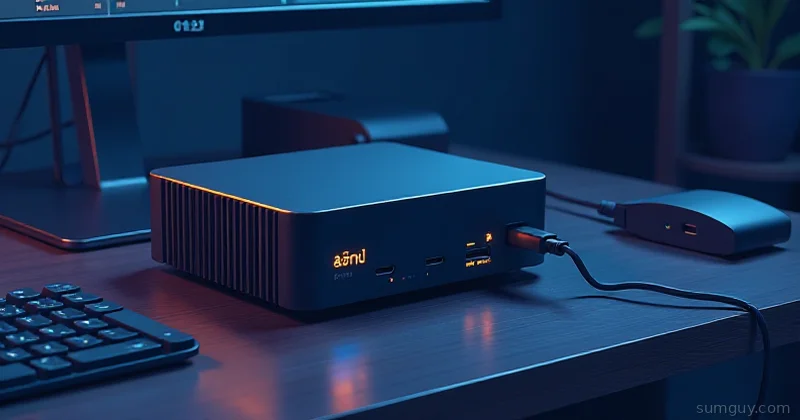
Intel N100 / N305 mini PCs: Many of the popular sub-$200 mini PCs from GMKtec, NucBox (Beelink), and Trigkey accept USB-C PD power. The GMKtec NucBox M2 and G3 both support 65W USB-C PD input. The Beelink EQ12 Pro does too. Always verify the spec sheet for “Power Input: USB-C PD” — don’t assume because there’s a USB-C port.
Apple Mac Mini M2 and M4: Yep, USB-C PD power works. The M2 model accepts power via USB-C (the two Thunderbolt 4 ports are PD-capable as input). The M4 is even more flexible. If you’re running a Mac Mini as a homelab node, this is delightful.
Framework Mainboard repurposed as a server: The Framework 13 and 16 mainboards, sold separately, are a popular DIY mini-PC option. They take USB-C PD input natively — that’s literally how they expect to be powered. 65W minimum for light loads, 100W+ if you’re running it hard.
Some Lenovo ThinkCentre Tiny (M series): Newer ThinkCentre Tiny models (M90q Gen 4 and later) include USB-C with PD input capability. Check the spec sheet — older Tiny models are barrel-only.
Intel NUC 13 / NUC 14: Some models support USB-C power input at 65W via Thunderbolt 4. Again: check the spec.
The Bad News
Minisforum MS-01: This thing is a beast — Xeon/Core i9 options, dual 2.5G LAN, PCIe expansion. It also needs 19V/180W via a proprietary barrel connector. No USB-C power input. It physically cannot negotiate a PD contract. Don’t even try.
Most AMD Ryzen 7 7840HS boxes: The Minisforum UM780, Beelink SER7, and similar high-performance mini PCs typically come with 120W–180W barrel adapters. Some have USB-C ports that only work for data and display — not power in. The TDP headroom just isn’t there for a clean USB-C PD implementation at those wattages (until EPR 140W+ chargers and cables are more common).
The general rule: If it came with a barrel connector >90W, assume USB-C power input is not supported unless the spec sheet says otherwise.
Why Bother? The Actual Case
One quality GaN charger with four ports can replace four separate bricks. A single Anker 747 (150W GaN) has three USB-C and one USB-A port. At my desk: N100 mini PC, tablet, phone, and a PoE injector running off a PD hub — one charger, one cable run to the power strip.
The aesthetic argument is real, but the practical one is stronger: GaN chargers are substantially smaller and lighter than the OEM bricks that come with mini PCs. The stock brick for a GMKtec G3 is a chunky 65W unit you could build a small shed with. A 65W GaN replacement is the size of a large ice cube.
Then there’s the cable polarity problem that barrel connectors have and USB-C doesn’t. PD negotiates before power flows. You can’t accidentally plug in a reverse-polarity PD cable because the protocol prevents it.
Picking the Right Charger
Wattage Floor
- Intel N100 mini PC with NVMe SSD: 65W minimum. 45W will work at idle but throttle under load.
- Intel N305 / Core i3-N305 variants: 65W comfortable, 100W preferred.
- Ryzen 5 7530U mini PCs: 100W minimum.
- Framework Mainboard (under load): 100W for the 13-inch mainboard; the 16-inch wants 180W.
- Mac Mini M2: 65W works, Apple’s 140W brick is the “full power” story.
Real Products That Won’t Let You Down
Anker 747 GaNPrime (150W): Three USB-C PD ports (any single port does up to 100W) and one USB-A. Solid thermal management, verified eMarker-compatible. Good pick for a single-charger-runs-everything desk setup.
UGREEN Nexode 100W / 140W / 300W: UGREEN’s Nexode line is well-regarded for homelab use. The 140W model handles PD 3.1 EPR at 28V/5A. The 300W is overkill for most mini PCs but if you’re running a rack of them off one charger, it’s there.
Apple 140W USB-C Power Adapter: Expensive, but it’s one of the few consumer bricks that properly negotiates PD 3.1 EPR at 28V. If you have a Mac Mini M4, use this. If you don’t have a Mac Mini M4, the UGREEN 140W is your friend.
Cables — Don’t Skip This Section
I know you’re going to buy the cheap cable. Here’s what happens: everything seems fine for three weeks. Then you’re running a build job, the mini PC spikes to 90% load, the cable browns out, the system reboots, and you spend two hours thinking your NVMe is dying.
Minimum for 65W use: any cable explicitly labeled “60W eMarker” or “100W.”
Minimum for 100W use: explicitly labeled “100W eMarker,” “5A rated.”
For PD 3.1 EPR (140W+): you need cables rated “240W EPR” with a 48V-capable eMarker. They’re thicker. They feel like they mean business.
Brands that are consistent: Anker PowerLine III, UGREEN USB-C 100W, Cable Matters 240W EPR.
Reading What’s Actually Negotiated
Once you’ve got the setup wired up, it’s worth verifying what PD contract was actually negotiated. Because “it’s charging” and “it’s charging correctly” are different things.
On Linux
# Voltage in microvoltscat /sys/class/power_supply/ucsi-source-psy-USBC000:001/voltage_now
# Current in microamperescat /sys/class/power_supply/ucsi-source-psy-USBC000:001/current_now
The path varies by kernel/driver. Substitute USBC000:001 with whatever your system exposes:
ls /sys/class/power_supply/Look for entries containing ucsi or typec. Then do the math: voltage_now (µV) / 1,000,000 × current_now (µA) / 1,000,000 = watts.
# Quick sanity check via dmesgdmesg | grep -i typecThis shows PD negotiation events, contract acceptance, and errors. If your charger isn’t being detected correctly, this is where you see why.
Hardware Meters
Software is nice, but an inline USB-C power meter between the charger and the device is better. The ChargerLAB POWER-Z KM003C is the gold standard — it shows negotiated voltage, current, wattage, PDO table from the charger, eMarker cable info, and full PD message logging. Expensive but you’ll use it constantly. The FNIRSI FNB58 is a solid cheaper option (~$25) that shows the basics without the deep protocol visibility.
USB-C PD UPS — The Actually Interesting Part
Here’s where the homelab angle gets good. There’s a category of small battery stations that accept USB-C PD input AND provide USB-C PD output with pass-through. That means: power flows from wall → battery → mini PC, and if the wall dies, the battery seamlessly takes over.
Bluetti AC2A: 204Wh, USB-C PD output at 30W (enough for a light N100 mini PC to idle), AC outlets too. Quiet. Fan only spins under heavy charge load.
Anker Solix C300: 288Wh, 100W USB-C PD output. More headroom, more price. Good if your mini PC is pulling 40-60W under normal load.
EcoFlow River 3: 245Wh, 60W USB-C output. Compact, decent runtime on an N100 box — roughly 4-6 hours at typical load.
These aren’t server-grade UPSes with precise transfer times, but for a home lab running non-critical services, the 10-20ms switchover is usually fine. For anything time-sensitive, test your workload specifically.
Graceful Shutdown via NUT
Some of these battery stations appear as USB devices over the data lane and can be monitored with Network UPS Tools (NUT). Setup varies by device — the EcoFlow and Bluetti lines have varying driver support. Check the NUT compatibility list before buying if you want automated shutdown.
# Check if NUT sees your UPS after plugging in via USBnut-scanner -U
# If it shows up, configure in /etc/nut/ups.conf# Then monitor and trigger shutdown at low battery
Even without NUT integration, the battery station buys you time to manually handle a power event — which is often enough.
Trap Doors You’ll Hit Anyway
The “PD” label scam: Some chargers are marketed as “USB-C PD” but only output 5V/3A (15W) regardless of negotiation. They have the protocol stubs but don’t actually shift voltage. Check reviews that include a power meter test. If a “65W” charger never shows more than 15W on a meter, throw it out.
Chicken-and-egg boot problem: A small number of mini PCs require a brief handshake with their OEM charger on first boot before they’ll accept third-party PD chargers. This is firmware behavior, not hardware limitation. Solution: boot once with the OEM brick, configure whatever power settings the BIOS exposes, then switch to your GaN charger.
Mac Mini 2018 Intel and the Apple handshake: The Mac Mini 2018 (Intel) technically accepts power via USB-C, but it expects an Apple charger negotiation. Third-party chargers may not deliver power until the Mac Mini has already started. If you want to use a non-Apple PD charger for that vintage Mac Mini, a PD trigger cable (a USB-C decoy device that requests 20V/3A without any host controller) can help initiate the contract before the Mac Mini’s firmware gets involved. Products like the YZXSTUDIO ZY362 PD trigger board are designed for exactly this.
The “65W mini PC on a 45W charger” trap: It’ll charge. It’ll also throttle badly under CPU load. If your N100 box is running a build job and suddenly feels slow, check what wattage the charger is actually delivering.
Should You Bother?
If you have one mini PC, a barrel connector, and everything works — don’t touch it. The OEM brick will outlive your patience for the hobby.
If you have two or more mini PCs, tablets, phones, and a growing tangle of bricks — yes, absolutely. Consolidating to one or two high-quality GaN chargers with verified cable setups genuinely improves the desk situation, reduces power draw at the wall (GaN efficiency is legitimately better than older adapter designs), and positions you for the UPS angle when you decide you care about uptime.
The UPS piece is the sleeper hit here. A small battery station with USB-C PD pass-through costs less than a traditional rack UPS, makes no noise, requires no dedicated space, and protects your mini-PC homelab through typical residential power events. Your 2 AM self — the one who just noticed the NAS rebooted during a parity check — will appreciate it.
The Bottom Line
USB-C Power Delivery is genuinely useful for mini-PC homelabs, with a few conditions: your hardware has to explicitly support PD power input (check the spec sheet, not the port count), your cables need eMarker chips for anything above 60W, and your charger needs to actually negotiate voltage rather than just claiming to.
For Intel N100 boxes, Framework mainboards, Apple Silicon Mac Minis, and newer ThinkCentre Tinys — USB-C PD is clean, compact, and increasingly sensible. For high-TDP AMD boxes and anything that came with a barrel connector above 90W — verify before you buy, or accept that not everything is there yet.
The Linux monitoring tools exist. The inline meters are cheap. The GaN chargers are good. The only real downside is the hour you’ll spend reading eMarker certification tables on a Thursday night when you should be doing literally anything else.
Worth it.