The Spec
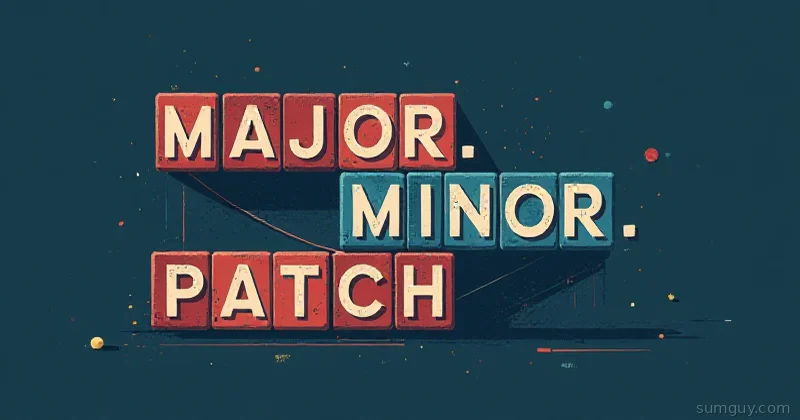
Semantic Versioning (semver) is simple:
MAJOR.MINOR.PATCH 1 2 3- MAJOR: incompatible API changes
- MINOR: backward-compatible new features
- PATCH: backward-compatible bug fixes
Examples:
1.0.0→1.0.1: bug fix1.0.1→1.1.0: new feature, still backward compatible1.1.0→2.0.0: breaking change
Seems straightforward. It’s not.
What Everyone Gets Wrong
Mistake 1: Conflating “Breaking” with “Major”
You deprecate a function. You add a warning. You give users a year to migrate. Then you remove it in 2.0.0.
That’s breaking, yes. But is it major?
Correct answer: Yes, it’s major.
What people think: “Well, I warned them, so it’s fine in a minor release.”
No. If removing a function breaks existing code, it’s major. Period. warning_in_v1.0, removed_in_2.0 is the right pattern.
Mistake 2: Not Documenting What “Backward Compatible” Means
You change your API response format. Same fields, different order. Is that backward compatible?
For JSON: yes. Field order doesn’t matter. For XML: probably yes. Parsers don’t care about order. For CSV: no. Column order matters.
Your responsibility: Explicitly say what you consider backward compatible.
Backward Compatibility Policy:- JSON response fields may be reordered- New optional fields may be added- Existing fields will not be renamed- We will support the current and previous major versionsWithout this, users assume “if the type stays the same, it’s compatible.” That’s wrong.
Mistake 3: Using Semver When You Don’t Have a Public API
You’re writing an internal tool. Or a CLI. Or a library with private methods.
Semver is only for public API contracts. If users depend on it, you version it. If they don’t, use calendar versioning:
2026.03.14 (YYYY.MM.DD)or
2026-Q1-03 (Year-Quarter-Release)Example: You’re running Prometheus at 2.48.0. You upgrade to 2.49.0. The scrape config changes. Backward compatible? Sort of. People will complain.
Better to say “2026-03-01” (date-based) and document breaking changes in release notes. No false promises about compatibility.
Mistake 4: Confusing “Backward Compatible” with “We Don’t Change Anything”
You’re running Kubernetes 1.28. New features in 1.29 require a minor config change. Is that breaking?
No. You can upgrade to 1.29 without changing anything. New features are optional. That’s backward compatible.
Contrast: Kubernetes removes a beta API. You’re using it. Upgrade breaks. That’s major.
The Real Rule
If existing code using your API works unchanged after upgrade, it’s backward compatible.
Test it:
Old code:import mylibx = mylib.do_something()print(x)
After v1.1.0 upgrade, same code still works? MINOR.After v1.1.0 upgrade, same code breaks? MAJOR.
Common Semver Mistakes in the Wild
Go: Modules and Pseudo-Versions
Go modules use semver, but they’re loose about breaking changes.
import github.com/pkg/foo v1.5.0You’d expect v1.5.0 is backward compatible with v1.4.0. Often it is. But Go doesn’t enforce it like npm or Python.
Solution: Read changelogs. Don’t trust the version number alone.
npm: Dependency Versions and Caret
In package.json:
{ "dependencies": { "express": "^4.18.0" }}The ^ means “compatible with this version.” For ^4.18.0, npm allows:
4.18.0✓4.19.0✓5.0.0✗
npm assumes 4.x are all compatible. But what if the library author violated semver? You get a broken build.
Solution: Use ~4.18.0 instead (only patch updates) or 4.18.0 (exact version). Be conservative with dependencies.
Python: Not Using Semver
pip install requests==2.31.0Requests uses semver loosely. 2.30.0 → 2.31.0 might have breaking changes. Check the changelog.
The Version Bump Checklist
Before releasing, ask:
-
Did I remove or rename any public methods/APIs?
-
Yes → MAJOR version bump
-
No → Continue
-
Did I add new public features?
-
Yes → MINOR version bump
-
No → Continue
-
Did I fix bugs without changing public API?
-
Yes → PATCH version bump
-
No → Continue (no release needed?)
Real Example: Database Migration Library
You maintain migrator v1.3.0.
Release 1.3.1 (Patch)
-- Bug fix: Migrations now execute in proper orderBackward compatible. Same API. Bug fix.
Release 1.4.0 (Minor)
// New feature: Rollback supportmigrator.rollback();New feature, backward compatible. Old code still works.
Release 2.0.0 (Major)
// Old API (breaking)migrator.run();  // Removed
// New APImigrator.migrate();  // Replaces run()
Breaking change. Major version.
The changelog:
# 2.0.0
BREAKING: migrate() replaces run().  - Old: migrator.run()  - New: migrator.migrate()
Migration guide: [See docs/migration-v2.md]
Users see “2.0.0” and know: “I need to change code.” That’s the point.
Pre-Release Versions
Not ready for release? Use pre-release tags:
1.0.0-alpha1.0.0-alpha.11.0.0-beta1.0.0-rc.1These sort before the final release. Users can opt-in to pre-releases.
{ "dependencies": { "mylib": "^1.0.0-beta" }}The Payoff
Semver is a contract. Major bumps mean “you must change code.” Minor bumps mean “new stuff, but you’re safe to upgrade.” Patch bumps mean “you should upgrade.”
Get it wrong, and users either:
- Don’t upgrade (miss fixes, new features)
- Upgrade blindly and get burned
Follow semver. Document your compatibility policy. Test before releasing.
Your users will actually upgrade.