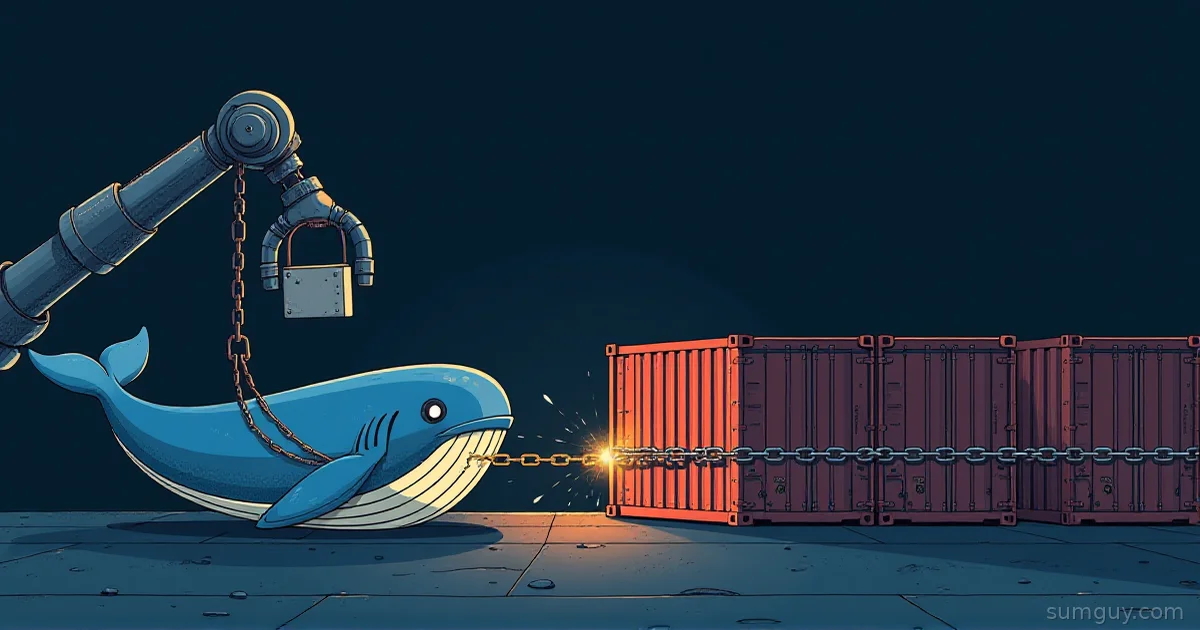
Your Agent Just Ran curl | bash and You Said “Sure”
You gave a coding agent a shell. It ran npm install on a package it found at 2 AM, and that package has a postinstall script written by a stranger. Your agent is now executing code neither of you read, inside a Docker container that shares your host’s kernel.
The short version: on a single homelab box, use gVisor: it is a Docker runtime flag, it needs no KVM, and it shrinks the host kernel attack surface to the narrower set of syscalls the Sentry itself makes. If you are building a service that spins up thousands of short-lived sandboxes, use Firecracker with snapshots. If you already run Kubernetes or containerd and want a VM boundary behind the normal container interface, use Kata. And whichever you pick, a stronger kernel boundary does nothing about the two things that actually leak: your network and your mounted credentials.
What Are You Actually Defending Against?
A plain container is a process with namespaces and cgroups. Every syscall it makes goes straight to the host kernel. For your own code, that is fine. For agent-driven code, the threat list looks different:
- Malicious packages. Install scripts run with the agent’s privileges the moment you resolve a dependency.
- Prompt-injected commands. A README, issue, or web page says “run this to fix the build,” and the agent obeys.
- Kernel exploits. A container escape needs a kernel bug. The shared kernel is the bug surface.
- Network exfiltration. The code reads something and
curls it out. - Credential misuse. The code uses the SSH key, cloud token, or
.envyou mounted in.
Isolation runtimes cover the third item well. They cover the others only if you do extra work. Keep that in mind for the rest of the article, because the marketing for all three tools implies more than they deliver.
The Three Contenders in One Table
Versions below are current as of October 2026.
| gVisor | Firecracker | Kata Containers | |
|---|---|---|---|
| Isolation model | User-space kernel (Sentry) intercepts syscalls | microVM on KVM | VM per pod/container, several VMMs |
Needs /dev/kvm | No (default systrap platform) | Yes | Yes (it is a VM runtime) |
| Docker integration | runsc as a Docker runtime | None directly | docker run --runtime io.containerd.kata.v2 works, but containerd is the main path |
| Fast restore | Not its design | Snapshots, a headline feature | Depends on the VMM |
| Main weakness | Syscall compatibility gaps | You build the container glue yourself | More moving parts, VM memory baseline |
| Latest release | release-20260928.0 | v1.17.0 | 4.2.0 |
Release numbers come from each project’s GitHub releases page. Kata is on the 4.x line now, so older posts that say “Kata 3” are stale.
gVisor: A Fake Kernel in the Way
gVisor does not boot a VM. It runs a user-space kernel called the Sentry, written in Go, and the container’s syscalls land there instead of on your host kernel. The Sentry then makes a much smaller set of calls to the real kernel. An exploit has to chain through two layers instead of one.
The part that matters for a homelab: gVisor’s default platform is systrap, which needs no hardware virtualization. It replaced ptrace as the default in mid-2023, per gVisor’s platform docs. That means gVisor runs inside a cloud VM, a Proxmox guest, or a cheap VPS without nested virtualization tricks. The docs also say the optional KVM platform is best on bare metal and that systrap often does better when you are already inside a VM.
Install and wire it into Docker
On Debian or Ubuntu, gVisor’s docs give an apt repository route:
curl -fsSL https://gvisor.dev/archive.key | sudo gpg --dearmor -o /usr/share/keyrings/gvisor-archive-keyring.gpgecho "deb [arch=$(dpkg --print-architecture) signed-by=/usr/share/keyrings/gvisor-archive-keyring.gpg] https://storage.googleapis.com/gvisor/releases release main" | sudo tee /etc/apt/sources.list.d/gvisor.list > /dev/nullsudo apt-get update && sudo apt-get install -y runscsudo runsc installsudo systemctl reload dockerdocker run --rm --runtime=runsc hello-worldrunsc install edits Docker’s daemon config for you. If you prefer to see what it wrote (you should), the result looks roughly like this:
{ "runtimes": { "runsc": { "path": "/usr/bin/runsc" } }}The path depends on where your package manager put the binary. Check with which runsc.
To prove you are in the sandbox, compare kernel messages:
docker run --rm --runtime=runsc alpine dmesgInside gVisor the output is a synthetic boot log from the Sentry, not your host’s. That is the quick sanity check.
What breaks
gVisor implements a subset of the Linux syscall ABI. Its compatibility docs say most language runtimes probe for alternatives and work anyway. io_uring is the example they give: it is not fully supported, and programs that can fall back to other I/O syscalls just do. Agents mostly run Node, Python, Go, Rust toolchains, and git. Those are fine. The things that bite are exotic: database engines tuned around io_uring, anything needing unusual ptrace or eBPF behavior, and anything that wants raw device access.
If your agent’s job is “build this repo and run its tests,” gVisor handles it. If the job is “benchmark a database,” expect surprises and test first.
Firecracker: A Real VM, Stripped to the Bones
Firecracker is a virtual machine monitor from AWS, written in Rust, that uses KVM to create microVMs. It has no BIOS and a very short device list (virtio devices over MMIO or PCI, a serial port, and a keyboard controller used for reset). That minimalism is why it starts fast.
Firecracker publishes its own targets in its SPECIFICATION file. For a microVM with 1 vCPU and 128 MiB of RAM and the Firecracker-tuned guest kernel:
- The VMM threads have a memory overhead of at most 5 MiB.
- It takes at most 125 ms from the
InstanceStartAPI call to the guest’s/sbin/initstarting, measured with a minimal kernel and root filesystem and the serial console disabled.
Those are Firecracker’s own figures under those conditions. Your agent image with Node, Python, and a dozen toolchains will boot slower and use more RAM. Treat 125 ms as the floor, not a promise.
The catch: no Docker runtime
Firecracker does not speak OCI. You do not docker run it. You have four options:
- Drive Firecracker directly: a kernel image, an ext4 rootfs, and a REST API over a unix socket.
- Use
firecracker-containerd, which adds a containerd shim. - Use Kata Containers with its Firecracker hypervisor option.
- Use a wrapper or a hosted service built on it.
Option 1 is less scary than it sounds. This is the shape of it, adapted from Firecracker’s getting-started guide:
# Terminal 1: start the VMM and its API socketrm -f /tmp/firecracker.socketfirecracker --api-sock /tmp/firecracker.socket
# Terminal 2: configure and bootcurl --unix-socket /tmp/firecracker.socket -X PUT "http://localhost/boot-source" \  -d '{"kernel_image_path": "./vmlinux", "boot_args": "console=ttyS0 reboot=k panic=1"}'
curl --unix-socket /tmp/firecracker.socket -X PUT "http://localhost/drives/rootfs" \  -d '{"drive_id": "rootfs", "path_on_host": "./rootfs.ext4", "is_root_device": true, "is_read_only": false}'
curl --unix-socket /tmp/firecracker.socket -X PUT "http://localhost/actions" \  -d '{"action_type": "InstanceStart"}'
You need a guest kernel and a rootfs. Firecracker’s getting-started guide shows how to fetch ones from its CI artifacts. For network, you also create a TAP device and attach it with /network-interfaces, which is where the glue work starts.
For anything beyond experiments, run it under the jailer, which Firecracker documents as the process for starting it in production. The jailer drops privileges and applies cgroups, namespaces, and seccomp around the VMM.
Snapshots are the real prize
This is why hosted agent sandboxes lean on Firecracker. You boot a VM once, install your toolchain, warm up the interpreter, and then snapshot it. Every new sandbox restores from that snapshot instead of booting cold.
# Pause the VM first, then snapshotcurl --unix-socket /tmp/firecracker.socket -X PATCH "http://localhost/vm" \  -d '{"state": "Paused"}'
curl --unix-socket /tmp/firecracker.socket -X PUT "http://localhost/snapshot/create" \  -H 'Content-Type: application/json' \  -d '{"snapshot_type": "Full", "snapshot_path": "./snapshot_file", "mem_file_path": "./mem_file"}'
Restore is a PUT /snapshot/load against a fresh Firecracker process, with snapshot_path and a mem_backend pointing at the memory file. Firecracker’s snapshot docs also cover diff snapshots and dirty page tracking if you want layered state.
One warning from those same docs: restoring one snapshot into many VMs means every clone shares identical memory state, including RNG state and any secrets in memory. Do not snapshot a VM that already holds credentials.
Hosted sandbox products such as E2B build on this idea. If you only want the result and not the plumbing, a hosted service is a legitimate answer. If you want to run your own fleet, you are signing up to build a scheduler.
Kata Containers: VMs Wearing a Container Costume
Kata gives you a VM per pod or container, behind a standard container runtime interface. From containerd or Kubernetes’ point of view, it is just another runtime. Underneath, each workload gets its own guest kernel. Kata’s docs list several hypervisors: QEMU, Cloud Hypervisor, Firecracker, Dragonball (its built-in Rust VMM), and StratoVirt. So Kata can use Firecracker as a backend, which makes the “Kata vs Firecracker” framing a little crooked. They overlap.
Docker and containerd
Kata’s own limitations doc says Docker has supported Kata since 22.06 with this form:
sudo docker run --rm --runtime io.containerd.kata.v2 alpine uname -rThe same doc recommends containerd’s Docker-style CLI, nerdctl, instead:
sudo nerdctl run --rm --runtime io.containerd.kata.v2 alpine uname -rThe kernel version printed is the guest kernel, not your host’s. If they differ, the VM is real. For Kubernetes, you register a RuntimeClass that points at the Kata handler and set runtimeClassName on pods that run agent code.
Caveats from Kata’s limitations doc: host networking (--net=host) is not supported, because the VM cannot reach the host’s network configuration directly. Kata also does not support Podman. Pick Kata when you are already on containerd or Kubernetes. Do not pick it to avoid learning one flag on a single box.
Startup, Memory, and the Numbers I Will Not Make Up
Firecracker publishes its figures, so I quoted them. gVisor and Kata do not publish a single comparable boot-time or per-sandbox memory number, and the real values depend on image size, hypervisor, and hardware. Anyone quoting a clean “gVisor starts in X ms” without naming a machine is selling something.
The structural story is stable, though:
- gVisor starts like a container, with no guest kernel to boot. Its cost shows up in syscall-heavy and file-I/O-heavy workloads, not at startup.
- Firecracker pays a VM boot, shrunk by stripping devices, then skips even that with snapshots.
- Kata pays a VM boot plus the container setup layer. The VMM choice moves the number a lot.
Measure on your own box with your own agent image. Run time docker run --rm --runtime=runsc alpine true against --runtime=runc and you have a baseline in ten seconds.
Isolation Does Not Stop the Leak
Say your sandbox is perfect. The agent still has a network card and whatever you mounted. A malicious postinstall script does not need a kernel exploit to read ~/.aws/credentials if you bind-mounted it, and it does not need a sandbox escape to curl that file to a stranger.
Cut egress by default
For Docker, an internal network has no route out:
docker network create --internal agent-nonetdocker run --rm -it --runtime=runsc --network agent-nonet alpine shInside, wget to anything external fails. The agent can still reach other containers on that network, so put your model proxy or package mirror there and nothing else.
gVisor also has its own switch. Its networking docs list --network=none, --network=host, and --network=sandbox (the default, a user-space network stack). You set it in runtimeArgs:
{ "runtimes": { "runsc-nonet": { "path": "/usr/bin/runsc", "runtimeArgs": ["--network=none"] } }}Then docker run --runtime=runsc-nonet ... gives you a sandbox with no network at all. The docs also describe egress rate limiting with a token bucket qdisc, if you want to throttle rather than block.
The practical pattern: no egress by default, then an allowlist proxy for the one or two hosts the agent needs (your package registry mirror, your git remote). The proxy logs every request, which is its own security feature.
Do not mount what you cannot lose
- No
~/.ssh, no cloud credential directories, no.envfiles with production keys. - Mount the project directory only. Prefer a throwaway copy or a git worktree.
- If the agent needs a token, give it a scoped, short-lived one for that task. A fine-grained token that can only open pull requests on one repo is a very different blast radius than your personal access token.
- Mount read-only wherever the agent does not need to write.
A VM boundary around a container holding your SSH key is a very expensive way to lose your SSH key.
So Which One Do You Run?
Single homelab box, laptop, or VPS: gVisor. One apt install, one runtime flag, no KVM, and it works inside a VM. Pair it with an internal network and a project-only mount. That setup covers the kernel-escape and exfiltration paths for a single-user box.
Building a sandbox service, many short-lived sandboxes, fast spin-up: Firecracker. Snapshots are the reason. The cost: you own the rootfs build, the TAP networking, the scheduler, and the jailer config. Or pay someone who already did.
Already on Kubernetes or containerd, and compliance or your own paranoia wants a real VM boundary: Kata. It slots in as a RuntimeClass and your manifests barely change. Each workload carries a guest kernel, so budget extra memory per pod and measure it on your own nodes.
If you have KVM and want the strongest boundary on one machine without writing glue, Kata via nerdctl is the middle path. If you do not have KVM, the decision is already made for you.
A forklift is the right tool for a pallet, and a bad one for a coffee. Match the runtime to the number of sandboxes you spin up, then spend the saved effort on the network and the mounts, because that is where the real leaks happen.
Common Questions
Does gVisor work inside a VM without nested virtualization?
Yes. gVisor’s default systrap platform needs no /dev/kvm, so it runs inside cloud VMs and Proxmox guests without nested virtualization. gVisor’s docs add that systrap often performs better than the KVM platform when you are already inside a virtual machine.
Can I run Firecracker with docker run?
No. Firecracker has no Docker runtime of its own. You drive it through its REST API, use firecracker-containerd, or run it as a backend hypervisor under Kata Containers. Docker users who want microVM isolation usually go through Kata or a wrapper service.
Does a stronger sandbox stop an agent from leaking my secrets?
No. A sandbox limits what code can do to the host kernel. It does not stop a process from reading credentials you mounted into it or sending them out over an open network. Remove egress with an internal Docker network or --network=none, and mount only the project directory.
Which Kata version should I use in 2026?
Use the current 4.x line. The latest Kata Containers release as of October 2026 is 4.2.0. Many older tutorials refer to Kata 2.x or 3.x, and their install commands and config paths are stale. Follow the current install docs instead.