The Box Nobody Wants to Touch
Your homelab server has been up for two years. nft list ruleset prints 60-odd rules. Half have no comment. One of them opens port 25565, and you are fairly sure you added it “temporarily” in March 2024 for a weekend of Minecraft. Another allows a subnet that no longer exists. Nobody knows what breaks if you delete any of it, so nobody deletes anything.
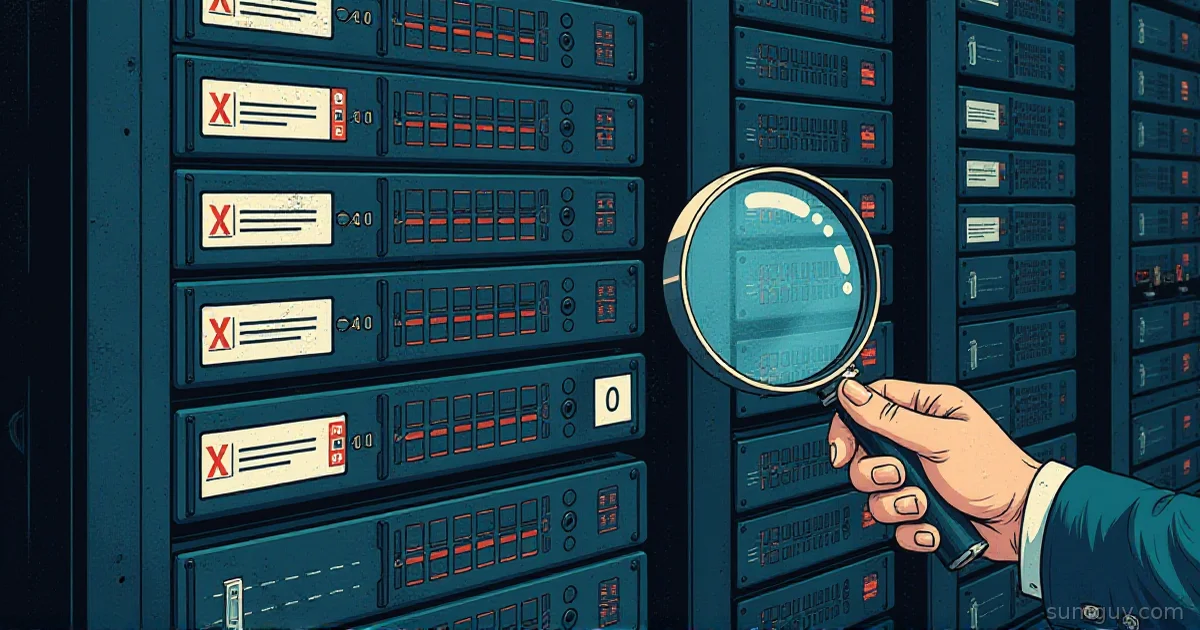
That is a ruleset you will re-audit forever. The way out is a measurement. A rule with a zero hit count after 30 days of real traffic is a candidate for deletion, and the firewall will tell you which rules those are if you ask it with counters. Two pieces do the work: nftables counters (the measurement) and a snapshot-and-diff routine (the process that turns counts into decisions).
Full example: Clone the working files at github.com/KingPin/sumguy-examples/security/firewall-rule-auditing
I am skipping how nftables chains work, how to migrate from iptables, and why rule order matters. Those have their own posts. This one is about an existing ruleset and the question “is anything still using this?”
Reading What You Have
Start with a look at the whole ruleset, with handles. A handle is the stable ID of a rule, and it is what you use to delete one later.
sudo nft -a list rulesettable inet filter { # handle 1 chain input { # handle 1 type filter hook input priority filter; policy drop; ct state established,related accept # handle 4 iifname "lo" accept # handle 5 tcp dport 22 accept # handle 6 tcp dport 25565 accept # handle 9 }}On a legacy iptables box, the counters are already there. -v adds packet and byte columns, -n skips DNS lookups, and --line-numbers gives you positions:
sudo iptables -nvL INPUT --line-numbersUFW users get a numbered list, but no counters:
sudo ufw status numberedUFW is a frontend. It writes iptables rules, so the counters live underneath. UFW keeps its rules in chains named ufw-user-input, ufw-user-output and ufw-user-forward (you can see them declared in /etc/ufw/user.rules). To read their hit counts:
sudo iptables -nvL ufw-user-inputOn a modern distro, iptables is often the iptables-nft variant. Check with iptables -V: it prints (nf_tables) for the nft-backed one and (legacy) for the old one. With the nft-backed variant, the same UFW chains show up in nft list ruleset under table ip filter, and nft prints a warning that the table is managed by iptables-nft. Look, do not edit that table with nft.
Adding Counters (nftables Does Not Count by Default)
In nftables, a rule only counts if you put a counter statement in it. No statement, no numbers. Add one to a rule:
sudo nft add rule inet filter input tcp dport 8080 counter acceptThe counter has to come before the verdict. The man page allows one terminal statement per rule, and it has to be the last one, so nft refuses accept counter outright with Error: Statement after terminal statement has no effect.
That is an anonymous counter. It lives inside the rule. Edit or replace the rule and the count starts over. A named counter is its own object in the table, so you can point several rules at it and it survives rule edits:
sudo nft add counter inet filter web_hitssudo nft add rule inet filter input tcp dport 80 counter name "web_hits" acceptsudo nft add rule inet filter input tcp dport 443 counter name "web_hits" acceptsudo nft list counterstable inet filter { counter web_hits { packets 1204 bytes 96320 }}Use anonymous counters for the audit. You want one number per rule. Use named counters when you want one number for a group of rules.
To reset counts to zero, there are three forms from the man page:
# all named counters in one table (anonymous counters are not touched)sudo nft reset counters table inet filter# the anonymous counters inside every rule in a tablesudo nft reset rules table inet filter# one rule's counter, by handlesudo nft reset rule inet filter input handle 9Reset on purpose, at the start of an audit window, and write down the date. A reset prints the values it cleared, so you lose nothing by running it. Since the audit uses anonymous counters, reset rules is the form you want. reset rule and reset rules need nftables 1.0.7 and kernel 6.2 or newer. Debian 12 has neither; Debian 13 and Ubuntu 24.04 do. On an older box, snapshot without resetting and let the diff do the subtraction.
Comments: Pay Now or Pay Forever
Every rule you add should carry a comment with who, why and when. It costs ten seconds today and saves an afternoon later.
sudo nft add rule inet filter input tcp dport 25565 counter accept comment \"ticket-1234 temporary minecraft 2024-03\"The same idea in the other tools:
sudo iptables -A INPUT -p tcp --dport 25565 -m comment --comment "ticket-1234 temporary minecraft 2024-03" -j ACCEPTsudo ufw allow 25565/tcp comment 'ticket-1234 temporary minecraft 2024-03'Note the escaped quotes in the nft example. The man page says you have to escape them when you type the command in a shell. Inside a config file, plain quotes are fine.
A rule with a date in its comment tells your 2 AM self when to stop being afraid of it.
Shadowed Rules: Traffic Exists, the Counter Does Not
A shadowed rule never matches because an earlier rule already handled the same traffic. It sits at zero forever, even though the traffic it was written for shows up every day. Here is a small example, on a chain further down the same box:
chain input { type filter hook input priority filter; policy drop; ip saddr 192.168.1.0/24 counter accept comment "lan, everything" # handle 11 ip saddr 192.168.1.0/24 tcp dport 22 counter accept comment "lan ssh" # handle 12 tcp dport 22 counter accept comment "ssh anywhere" # handle 13}Rule 11 accepts everything from the LAN. A LAN client connecting to SSH hits rule 11 and stops. Rule 12 can never fire. After a week, the counters say so:
ip saddr 192.168.1.0/24 counter packets 48211 bytes 9301442 accept comment "lan, everything" # handle 11ip saddr 192.168.1.0/24 tcp dport 22 counter packets 0 bytes 0 accept comment "lan ssh" # handle 12tcp dport 22 counter packets 311 bytes 22903 accept comment "ssh anywhere" # handle 13Rule 12 is dead weight and safe to remove: it is fully covered by rule 11. Rule 13 still counts because it catches SSH from outside the LAN. The counters found a shadow that reading the ruleset by eye might have missed on a 60-rule box.
Delete a rule by handle, not by retyping it:
sudo nft delete rule inet filter input handle 12Logging the Last-Chance Traffic
Counters tell you what your rules do. They do not tell you what the default policy is catching. For that, put a rate-limited log rule right before the end of the chain:
sudo nft add rule inet filter input limit rate 5/minute log prefix \"nft-drop: \"Packets that reach this rule and are under the limit get logged. Anything over five a minute is not logged, but still falls through to the policy drop. The log line goes to the kernel log:
sudo journalctl -k | grep nft-drop# orsudo dmesg | grep nft-dropWithout the limit, one port scan floods the journal. With it, you get a sample, and a sample is all you need to see “oh, that is my printer trying to reach the NAS.”
Add the log rule last in the chain. nft add appends to the end, so run it after the other rules exist.
The Snapshot-and-Diff Routine
Counters give you numbers right now. An audit needs numbers over time. The routine: save the ruleset as JSON on a schedule, then compare two snapshots.
The JSON from nft -j list ruleset is one object with a nftables array. Each rule is an element shaped like {"rule": {"family":..., "table":..., "chain":..., "handle":..., "comment":..., "expr": [...]}}. The counter is one of the entries in expr, as {"counter": {"packets": N, "bytes": N}}. If you used a named counter, that entry is {"counter": "web_hits"} instead, and the numbers live in a separate top-level counter object. The script below skips those. It reads anonymous counters only.
#!/usr/bin/env bashset -euo pipefail
dir=/var/lib/fw-snapshotsmkdir -p "$dir"nft -j list ruleset > "$dir/$(date +%F).json"
Run it from a systemd timer:
[Unit]Description=Snapshot nftables ruleset and counters
[Service]Type=oneshotExecStart=/usr/local/bin/snapshot-fw.sh[Unit]Description=Daily nftables snapshot
[Timer]OnCalendar=dailyPersistent=true
[Install]WantedBy=timers.targetsudo systemctl enable --now snapshot-fw.timerNow the diff. This script takes two snapshots and prints a table of family/table/handle, comment, packets then, packets now and delta. Rules with a delta of zero get a flag:
#!/usr/bin/env bashset -euo pipefailold=$1 new=$2
jq -r -n --slurpfile a "$old" --slurpfile b "$new" '  def counts: [ .nftables[] | select(has("rule")) | .rule      | { key: "\(.family)/\(.table)/\(.handle)",          value: { comment: (.comment // "-"),                   packets: ([.expr[] | objects | select(has("counter"))                              | .counter | objects | .packets] | first) } }      | select(.value.packets != null) ] | from_entries;  ($a[0] | counts) as $then | ($b[0] | counts) as $now  | $now | to_entries[]  | [ .key, .value.comment, ($then[.key].packets // 0), .value.packets,      (.value.packets - ($then[.key].packets // 0)) ] | @tsv' \| awk -F'\t' -v OFS='\t' '$5 == 0 { $6 = "CANDIDATE" } 1' \| column -t -s $'\t'
Run it against a snapshot from 30 days ago:
sudo ./fw-diff.sh /var/lib/fw-snapshots/2026-09-18.json /var/lib/fw-snapshots/2026-10-18.jsoninet/filter/4 ssh lan 10 10 0 CANDIDATEinet/filter/6 ssh anywhere 311 4120 3809inet/filter/9 ticket-1234 temporary minecraft 2024-03 0 0 0 CANDIDATETwo gotchas. Handles are unique per table, not across the whole ruleset, and two tables can share a name across families (ip filter from iptables-nft next to your inet filter), so the key is family/table/handle. And if the counters were reset or the ruleset was reloaded between two snapshots, the “then” numbers are bigger than the “now” numbers and the delta goes negative. A reload (systemctl restart nftables) rebuilds every rule and zeroes the counters. Pick snapshots from the same uninterrupted stretch.
Retiring a Rule Without a 2 AM Phone Call
Zero hits is a strong hint, not proof. A monthly backup job might connect once on the first of the month. Retire in four steps:
-
Comment the rule
candidate-remove-2026-10so the intent is visible in every future listing. Usenft replace rule inet filter input handle 9 ...with the full rule text and the new comment. -
Swap the verdict. Replace
acceptwith a counter and a log line, so the rule stops allowing traffic and starts reporting it:Terminal window sudo nft replace rule inet filter input handle 9 tcp dport 25565 counter log prefix \"would-drop: \" comment \"candidate-remove-2026-10\"The packet now falls through to the next rule, and to the policy drop if nothing else accepts it. Leave this in place for a week. If
journalctl -k | grep would-dropstays empty, nothing used it. If something shows up, you just found the thing that would have broken, and the cost was one log line instead of an outage. Put alimit ratein the log statement if the port is noisy. -
Delete by handle:
sudo nft delete rule inet filter input handle 9. -
Persist the change. A running ruleset is lost at reboot. On Debian and Ubuntu,
nftables.serviceloads/etc/nftables.confat boot (its unit runsnft -f /etc/nftables.conf), so that file must match what you just did. Edit it by hand, or dump just your own table into it:Terminal window sudo nft list table inet filter | sudo tee /tmp/filter-table.txtThen copy the table block into
/etc/nftables.conf. Do not blindly redirectnft list rulesetover that file if Docker or UFW is on the box, because you would freeze their tables into your config.
Docker Owns Some of Your Rules
By default Docker still manages iptables rules itself, in chains such as DOCKER and DOCKER-USER. The Docker docs describe an experimental nftables backend, selected with the firewall-backend daemon option. Either way, leave Docker’s chains and tables alone. Docker rebuilds them when the daemon starts. With the default iptables backend, put your own rules in DOCKER-USER. The nftables backend (experimental since Docker 29.0) has no DOCKER-USER chain; you add your own table with a forward hook chain instead.
A nft flush ruleset removes Docker’s rules along with yours, and they stay gone until the daemon restarts. Restart Docker after a flush, and prefer deleting single rules by handle so you never need the flush.
What About the Perimeter Box?
The same idea works on a router firewall. OPNsense and pfSense show per-rule hit counters in their rules UI. Same method: check counts over a month, disable (do not delete) the zero-hit rules, wait, then delete. This article is about Linux hosts, so I will leave it at that.
The SumGuy Take
A firewall without comments is a junk drawer. A firewall with counters is a junk drawer with a label maker. Add counter and comment to every rule you write from now on. Let a timer take daily snapshots, because you cannot go back and collect history you never saved.
Do not delete on a zero count alone. Disable first, log for a week, then delete. It is the forklift rule: you can move a pallet quickly, but you look behind you first. Run the audit once a quarter and the 2 AM page about “who opened that port?” never happens.
Common Questions
Do nftables rules count packets by default?
No. An nftables rule counts packets only if it contains a counter statement. Without it, the rule matches silently and nft list ruleset shows no numbers. Add counter before the verdict, as in tcp dport 22 counter accept, since nft rejects a counter placed after accept.
Does UFW have per-rule packet counters?
Not in ufw status. UFW writes iptables rules into chains such as ufw-user-input, so read counts with sudo iptables -nvL ufw-user-input. On a system where iptables is the nft-backed variant, the same chains appear in nft list ruleset under table ip filter.
Will nft flush ruleset break Docker?
Yes. A nft flush ruleset deletes every table, including the rules Docker created for container networking. Published ports and container internet access stop working until you restart the Docker daemon, which recreates them. Delete single rules by handle instead of flushing.
How long should I watch a rule before deleting it?
Watch for at least 30 days, and longer for rules tied to monthly or quarterly jobs such as backups. After the window, replace accept with a log rule for a further week. Delete the rule only if that log stays empty.
Do my nft changes survive a reboot?
No. Changes made with nft add or nft delete live in the kernel only. On Debian and Ubuntu, nftables.service loads /etc/nftables.conf at boot, so write the final ruleset into that file. Check the file with nft -c -f /etc/nftables.conf before you reboot.