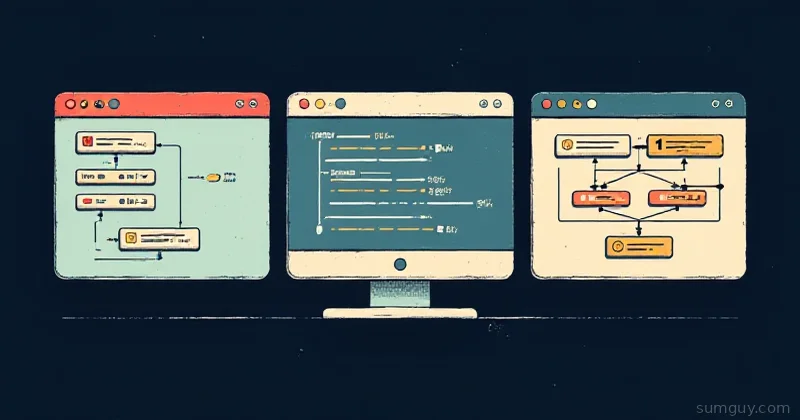
Three Ways to Browse Your Database (And Why You’ll End Up Switching Between All Three)
If you’re running Postgres or MySQL in your home lab, you need a client to poke around. Maybe you’re hunting a slow query, setting up a replication test, or just checking if your backup actually restored your data, turns out that’s important.
You’ve got three main contenders: DBeaver (free, bloated, Swiss Army knife), pgAdmin (web-based, free, feels like 2008), and DataGrip (paid, polished, JetBrains). Each one is exactly the wrong tool for something you need to do right now.
Let’s talk about which hammer fits which nail.
DBeaver: The Everything Store
DBeaver is the Honda Civic of database clients, it’ll do anything, it’s affordable, and you’ll find one in every driveway. It supports Postgres, MySQL, Oracle, SQL Server, MongoDB, SQLite, Cassandra, and seventeen other databases that nobody asked for.
The Good
The query editor is legitimately solid. You get real autocomplete (table names, columns, functions), syntax highlighting, and execution plan visualization. Write a complex join, hit Ctrl+Enter, see results in milliseconds. The schema browser is thorough, drill into tables, indexes, functions, triggers. Right-click any table and you get a context menu that could feed a small nation.
ER diagrams work. Not fancy, but functional. You can visualize how tables relate without opening a separate tool. If you’re onboarding someone new (“here’s our schema”), ER diagrams beat a five-minute explanation.
Data export is obscene. CSV, JSON, XML, SQL INSERT statements, Markdown tables, pick your poison. Filter that result set and export just the rows you care about.
It’s free. Community Edition is actually community-maintained, no sneaky limits.
The Catch
Memory usage is insane. DBeaver keeps everything in memory, connect to a table with a million rows, it chokes. For self-hosted setups where you’re already rationing RAM, this stings. On my 4GB lab box, DBeaver running alongside my Postgres container is a bet on which one kills itself first.
The UI is doing sixteen things at once. You’ve got tree panels on the left, property panes on the right, an output console at the bottom, another pane for object details, and that’s before you open a query tab. It’s powerful but chaotic. New users click around confused for twenty minutes.
Updates are aggressive. New version drops, and suddenly something moved or the import paths changed. Not breaking-breaking, but enough to be annoying when you’re in production troubleshooting at 2 AM.
The UI feels dated compared to DataGrip. Swing-based Java, lots of gray panels, not much visual polish.
pgAdmin: The Web-Based Default
pgAdmin runs in a browser, which means you access it from anywhere, your dev box, your phone (if you’re that person), your mate’s laptop at the pub. It’s specifically built for Postgres, so it’s not stretched thin trying to support Oracle and Cassandra.
The Good
No desktop client to install or update. Spin up the container, hit localhost:5050, type a password, you’re in. The learning curve is gentler than DBeaver because the UI is simpler, it’s not trying to be everything.
Running it as a containerized service (which is how most people use it) means it scales with your infra. Three databases to manage? Add them in the web UI. Ten databases? Still the same experience.
Query execution works. Not fancy, but it executes SQL. You get query history (very useful for auditing what you ran), explain plans, and basic result set tools.
Job scheduling is baked in. You can create automated backups, run maintenance tasks, schedule queries to run at specific times. For small setups, it beats spinning up a cron job.
The Catch
The UI feels like it was designed in 2008 and hasn’t been touched since. Not unusable, just dated. Lots of nested menus, buttons that don’t look like buttons, a visual hierarchy that doesn’t quite work.
Data export is barebones. CSV and JSON, but that’s about it. Want to generate SQL INSERT statements or Markdown? You’re right-clicking the result set and hoping for miracles.
Connection management is clunky. You navigate through a nested tree to get to a query editor. With DBeaver, you open a new tab and type a query. With pgAdmin, there’s ceremony.
If your Postgres container goes down, your database UI goes with it. That’s not ideal when you’re debugging why Postgres crashed in the first place.
Memory usage is lighter than DBeaver but you’re trading that for simplicity. If you’ve got a really fat result set, pgAdmin will choke just like DBeaver, but for different reasons.
DataGrip: The Professional’s Pick
DataGrip is JetBrains’ standalone IDE for databases, not a plugin, a whole product. It costs money (JetBrains uses a scaling loyalty discount: starts at $99/year, drops to $79 in year 2 and $59/year from year 3 onward, or bundled with their IDE suite). You’re paying for polish and intelligence.
Updated: DataGrip uses JetBrains’ loyalty discount model, not a flat rate. Year 1 is $99, year 2 drops to $79, year 3+ locks in at $59/year. The longer you subscribe, the cheaper it gets.
The Good
The query editor is genuinely smart. Type an incomplete join, it suggests table names. Type part of a column name, autocomplete narrows to matches. Refactor a query, rename a table everywhere in the file, and DataGrip tracks it across your entire workspace. It’s not just autocomplete, it’s context-aware assistance.
Explain plans are visualized beautifully. You can see which part of your query is slow, how many rows are being processed at each step, and what indexes are (or aren’t) being used. This is worth the admission price for production debugging.
The UI is modern and consistent. Buttons look like buttons, panes organize logically, keyboard shortcuts work intuitively. You open DataGrip and feel like you’re using something designed in 2024, not rescued from an archive.
Full IDE features are there, project structure, version control, console, debugging. If you’re writing stored procedures or migrations, you’re in a real editor, not a textarea.
Multi-database support is solid without being overwhelming. Same query editor for Postgres, MySQL, SQLite, H2, MariaDB, Oracle. The tool adapts to each dialect intelligently.
The Catch
Cost. $99/year is nothing if you’re getting paid to use it. For hobby home-labs, it stings a bit. The free trial is 30 days, so you can kick the tires.
It’s heavier than pgAdmin. Not DBeaver-level heavy, but it’s still a full IDE. On low-resource machines, it’ll notice.
If you’re solo, the IDE features are overkill. DataGrip is built for teams managing multiple databases across multiple projects. For a single Postgres instance, you’re paying for features you won’t use.
Vendor lock-in if you use other JetBrains tools. Once you’re in their ecosystem (IntelliJ for Java, RubyMine for Ruby, WebStorm for frontend), DataGrip feels natural. First time using it solo? It’s a single tool, not a suite.
Feature Breakdown: Head-to-Head
| Feature | DBeaver | pgAdmin | DataGrip |
|---|---|---|---|
| Multi-database | 20+ databases | Postgres only | 10+ databases |
| Query editor | Solid, autocomplete | Basic | Excellent, IDE-level |
| ER diagrams | Yes | No | Yes |
| Data export | Extensive (CSV, JSON, SQL, Markdown) | Basic (CSV, JSON) | Good (JSON, CSV, SQL) |
| Memory footprint | High | Low | Medium |
| UI polish | Dated | Very dated | Modern |
| Explain plans | Yes | Yes | Yes, visualized beautifully |
| Web-based | No | Yes | No |
| Cost | Free | Free | From $59$99/year |
| Mobile access | No | Yes | No |
| Version control | No | No | Yes |
Decision Tree: Which One Should You Use?
You’re running a single Postgres instance and want something lightweight: pgAdmin. Containerize it, forget about it. The UI is dated but it works, and you won’t be battling memory pressure.
You’ve got multiple databases (Postgres, MySQL, SQLite) and you’re doing ad-hoc queries: DBeaver. Yes, it’s heavy. Yes, the UI is chaotic. But it does everything, and sometimes that’s worth the pain.
You’re debugging slow queries or writing complex migrations: DataGrip. The query editor and explain plan visualization are worth the cost. You’ll save that $99 the first time you identify a missing index.
You’re managing databases from the road or a shared jump box: pgAdmin. It’s web-based, and that matters.
You’re just testing something quick: All three, honestly. Spin up whichever you’ve got installed. They all execute SQL and show you results.
The Hybrid Approach
Nobody tells you this: pick one and switch to another when you need a specific feature. I keep DBeaver for multi-database administration and data exports. pgAdmin runs as a service for routine checks. DataGrip opens when I’m writing complex migrations or hunting a performance problem.
It’s like having a ratchet set, a hammer, and a power drill. You don’t pick one and throw the others away, you grab whichever fits the job.
DBeaver for “I need to export this result set and also check why my MySQL server is slow.” pgAdmin for “I need to back up my Postgres and also check if it’s running.” DataGrip for “I need to understand why this query takes 4 seconds instead of 40 milliseconds.”
Install all three. Keep them lightweight. Use the right tool when it matters. Your future self at 2 AM will thank you.